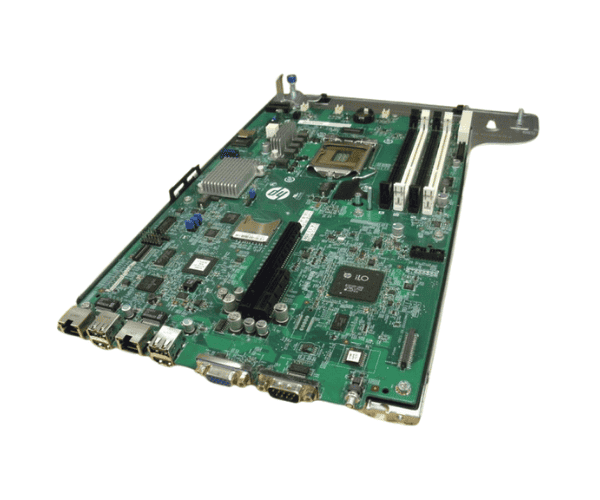
HP 686659-001 DL320e Gen8 System Board with Tray
The HP 686659-001 DL320e Gen8 System Board with Tray is engineered to boost the performance of the HP ProLiant DL320e Gen8 server. This reliable motherboard features a robust design and provides essential functionality to support various applications in a compact server environment. Ideal for small to mid-sized enterprises, it ensures efficient and stable operation.
User Experience
The
HP 686659-001 DL320e Gen8 System Board offers a dependable and efficient solution for server performance. Users find its installation straightforward due to the included tray, which simplifies the setup process. The board supports Intel Xeon E5-2400 processors and up to 192GB of DDR3 memory, making it suitable for handling moderate workloads and applications. The enhanced connectivity options, including Gigabit Ethernet, ensure stable network performance, while the solid build quality contributes to long-term reliability in demanding environments.
Why Choose the HP 686659-001 DL320e Gen8 System Board?
Choosing the
HP 686659-001 DL320e Gen8 System Board provides several advantages for your server setup. This motherboard is specifically designed for the HP ProLiant DL320e Gen8, ensuring compatibility and optimal performance. With support for Intel Xeon E5-2400 processors and a generous memory capacity of up to 192GB, it offers substantial power for various business applications. The included tray facilitates an easy and efficient installation process, making it a practical choice for IT professionals. Additionally, the
HP 686659-001 DL320e Gen8 System Board guarantees stable network connections and reliable server operation, making it an excellent investment for your server infrastructure.
Installation Steps
- The Ensure server is turned off and unplugged from the power source.
- Open the server case and locate the system board tray.
- If replacing an existing board, disconnect all cables and unscrew the old system board from the tray.
- Place the new HP 6866 59-001 DL320e Gen8 System Board into the tray.
- Secure the system board with screws and reconnect all necessary cables.
- Close the server case and plug in the power cord, and power on the server.
- Access the BIOS to confirm that the new system board is recognized and functioning properly.



-24-Port-Fast-Ethernet-Unmanaged-POE-Switch-70x60h.png "Hikvision DS-3E0326P-E/M(B) 24 Port Fast Ethernet Unmanaged POE Switch")