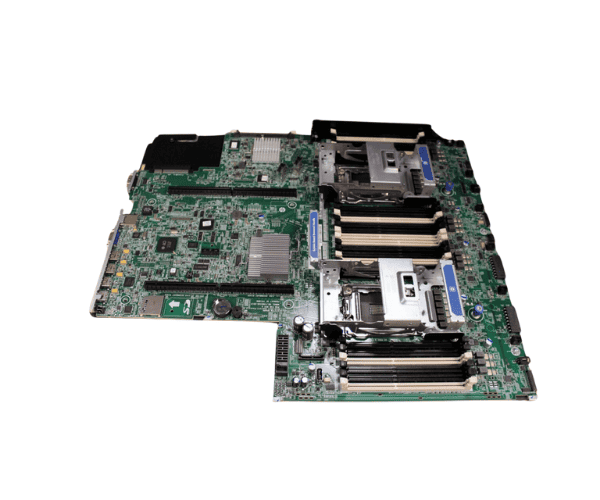
HP 662530-001 DL380p Gen8 V2 System Board
The HP 662530-001 DL380p Gen8 V2 System Board is an essential component for enhancing your server’s performance. Designed for the HP ProLiant DL380p Gen8 server, this system board ensures reliable, high-performance operation, featuring advanced connectivity and improved data processing, making it a critical upgrade for your server environment.
Users have found the HP 662530-001 DL380p Gen8 V2 Board to be a solid performer, offering seamless integration into the HP ProLiant DL380p Gen8 V2 server. With its support for Intel Xeon processors and high memory capacity, this system board enables faster data processing and smoother server operations. It delivers reliable, stable performance for demanding workloads, ensuring long-term server efficiency.
Why Choose the HP 662530-001 DL380p Gen8 V2 System Board?
The
HP 662530-001 DL380p Gen8 V2 Board is a trusted choice for those looking to maximize the potential of their HP ProLiant DL380p Gen8 V2 server. The HP 662530-001 features 24 DIMM slots for memory expansion, allowing your server to handle large-scale applications efficiently. With PCIe 3.0 support and dual Gigabit Ethernet ports, the HP 662530-001 enhances server connectivity and performance. Whether upgrading or replacing, this system board provides top-tier reliability and performance.
Installation Steps
- Power Down the Server: Turn off the server and unplug all power sources.
- Open the Server Chassis: Remove the server cover to access the system components.
- Locate the System Board: Find the system board location within the server.
- Disconnect All Cables: Carefully disconnect all cables from the current system board.
- Remove the Old System Board: Unscrew and remove the existing system board from the chassis.
- Install the New HP 662530-001 Boards: Place the HP 662530-001 DL380p Gen8 V2 System Boards into the chassis and secure it with screws.
- Reconnect All Cables: Reattach all the necessary cables to the new board.
- Close the Chassis: Reassemble the server by closing the cover.
- Power Up the Server: Reconnect the power and start the server, ensuring the HP 662530-001 is functioning correctly.



-70x60h.png "HP 491835-001 ML370 G6 System Backplane Board")


