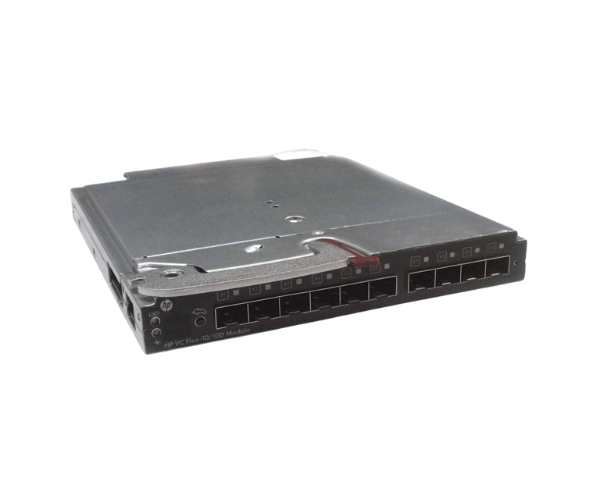
HP 639852-001 Virtual Connect VC Flex-10/10D Module
The HP 639852-001 Virtual Connect VC Flex-10/10D Module is engineered to enhance your data center's networking capabilities. Designed for seamless integration with HP BladeSystems, this module delivers high-speed connectivity and flexibility, optimizing data management and network performance for demanding environments.
User Experience
Users have reported that the HP 639852-001 Virtual Connect VC Flex-10 /10D Module offers exceptional performance and reliability. Its ability to handle high-speed data transfers and provide flexible network configurations has been praised in data centers. The module integrates smoothly with HP BladeSystems, making it a preferred choice for optimizing network infrastructure and improving overall system efficiency.
Why Choose the HP 639852-001 Virtual Connect VC Flex-10/10D Modules?
The
HP 639852-001 Virtual VC Flex-10/10D Module is an essential upgrade for any data center utilizing HP BladeSystems. This module offers a high-performance solution for network connectivity, supporting both 10GBASE-T and 10GbE SFP+ ports to meet diverse networking needs. The HP 639852-001 module enhances network speed and flexibility, providing up to 40 Gbps throughput and seamless management through the Virtual Connect Manager. Investing in the HP 639852-001 Virtual Connect VC Module ensures that your network infrastructure is future-ready and capable of handling high-demand applications.
Key Features
- High-Speed Connectivity: Supports both 10GBASE-T and 10GbE SFP+ for superior network performance.
- Flexible Network Options: Provides versatile configurations for varied data center requirements.
- Scalable Performance: Handles up to 40 Gbps throughput, accommodating growth.
- Efficient Management: Includes Virtual Connect Manager for streamlined network administration.
- Seamless Integration: Compatible with HP BladeSystem c-Class and ProLiant blade servers.
Installation Steps
- Power Down: Ensure the HP BladeSystem chassis is powered off and disconnected from all power sources.
- Open chassis: remove the chassis cover to access the internal components.
- Remove Old Module: If replacing an existing module, carefully remove it from its slot.
- Install New Modules: Insert the HP 639852-001 Virtual Connect Flex-10/10D Module into the designated slot, ensuring proper alignment.
- Connect Cables: Attach network cables to the module's ports as needed.
- Close Chassis: Replace and secure the chassis cover.
- Reconnect Power: Plug the chassis back into the power source and power it on.
- Verify Operation: Use the Virtual Connect Manager to confirm that the module is recognized and operating correctly.