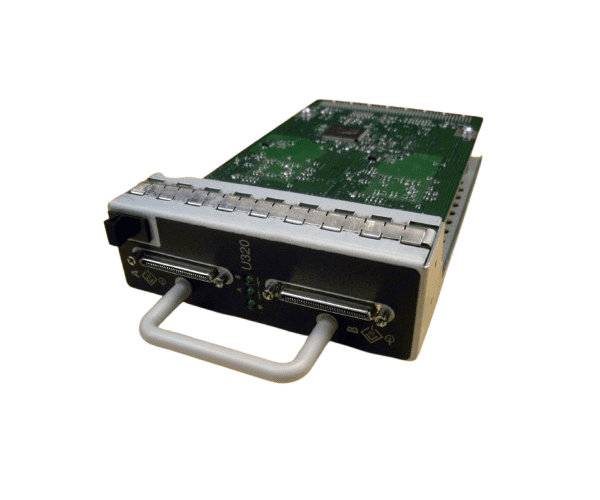
HP 411085-001 MSA30 Dual Port U320 SCSI Interface Module
The
HP 411085-001 MSA30 Dual Port U320 SCSI I/O Module is designed to boost the connectivity and performance of your HP StorageWorks MSA30 array. Featuring dual U320 SCSI ports, this module supports high-speed data transfers and enhances your storage solution's efficiency, making it ideal for demanding data environments.
User Experience
Users of the
HP 411085-001 MSA30 2Port U320 SCSI I/O Module frequently highlight its straightforward installation and reliable performance. The module seamlessly integrates into the HP StorageWorks MSA30 array, providing high-speed data transfer capabilities that enhance overall system efficiency. Its dependable operation ensures smooth data handling in demanding environments.
Why Choose The HP 411085-001 MSA30 2 Port U320 SCSI I/O Module?
The
HP 411085-001 MSA30 2Port U320 SCSI I/O Module stands out as a top choice for those seeking to upgrade their HP StorageWorks MSA30 array’s connectivity. With its dual U320 SCSI ports, this module delivers rapid data transfer speeds up to 320 MB/s, optimizing storage performance. By selecting the
HP 411085-001 MSA30 2Port U320 SCSI I/O Module, you ensure enhanced data management and reliability, making it a valuable addition to your storage infrastructure.
Key Features
- Dual Port U320 SCSI for high-speed data transfer
- Compatible with HP StorageWorks MSA30
- Supports data transfer rates up to 320 MB/s
- Passive cooling for efficient heat management
- Easy installation and integration into existing systems
- Firmware upgradable for future-proofing
Installation Steps
- Power down the HP StorageWorks MSA30 array and disconnect all cables.
- Open the enclosure carefully, following safety guidelines.
- Find the I/O module slot inside the array.
- Insert the HP 411085-001 MSA30 2Port U320 SCSI I/O Module into the slot, aligning it with the connectors.
- Press gently until the module is securely seated.
- Close the enclosure and reconnect all cables.
- Power on the system and verify the module’s functionality through the management interface.