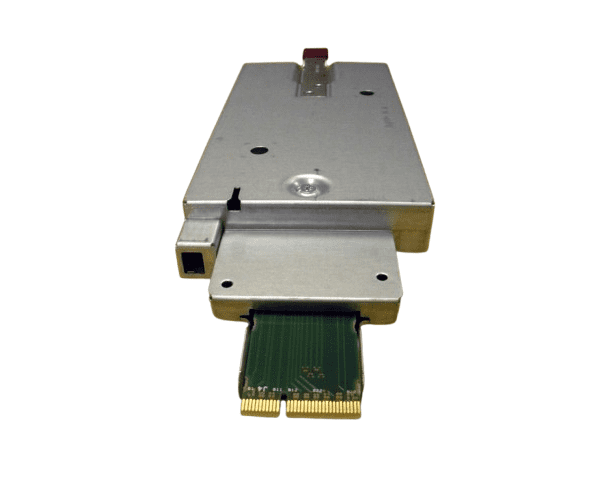
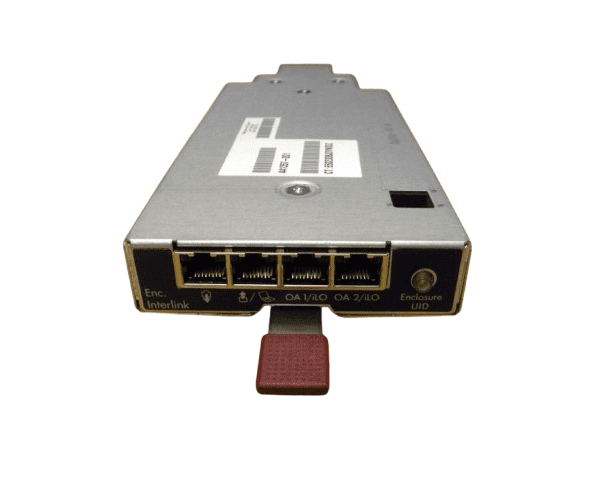
HP 441833-001 BLc3000 Onboard Administrator Module
The
HP 441833-001 BLc3000 Onboard Administrator Module is essential for managing and monitoring HP BladeSystem c-Class enclosures. This module provides centralized control and configuration for your blade servers, enhancing system efficiency and simplifying management tasks. Its robust features make it a crucial component for effective data center operations.
User Experience
The
HP 441833-001 BLc3000 Onboard Module is praised for its intuitive management interface and reliable performance. Users find it easy to configure and monitor their HP Blade System c-Class enclosures. The module’s centralized management capabilities streamline administrative tasks, making it a valuable tool for optimizing data center operations and enhancing system efficiency.
Why Choose The HP 441833-001 BLc3000 Onboard Administrator Module?
Choosing the
HP 441833-001 BLc3000 On board Administrator Module ensures seamless management of your HP Blade System c-Class enclosures. This module provides comprehensive control and monitoring features, crucial for maintaining optimal performance and efficiency in your data center. The
HP 441833-001 BLc3000 On board Administrator Module simplifies system administration with its centralized interface and reliable performance. It integrates effortlessly with your existing infrastructure, offering a straightforward solution for managing blade servers effectively.
Key Features
- Centralized control for Blade System c-Class
- Intuitive management interface
- Reliable performance and monitoring
- Passive cooling design
- Easy integration with existing infrastructure
- Standard management connectors
Installation Steps
- Power down the HP BladeSystem enclosure and disconnect it from the power source.
- Open the enclosure following the manufacturer’s guidelines.
- Locate the slot for the Onboard Administrator Module.
- Insert the HP 441833-001 BLc3000 Administrator Module into the slot, aligning it with the connectors.
- Gently press the module until it is securely seated.
- Close the enclosure and reconnect the power source.
- Power on the system and configure the module using and management interface.