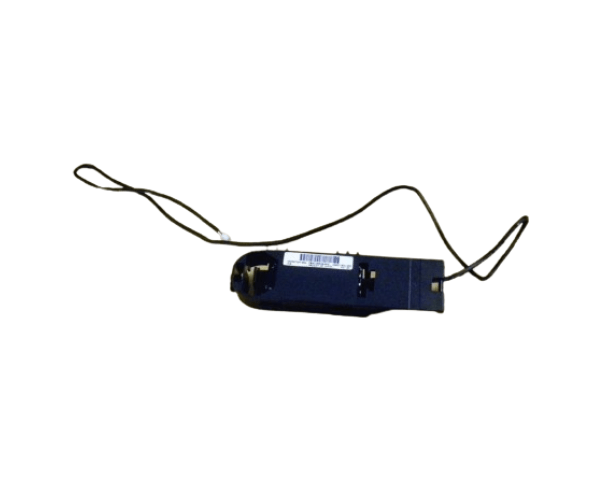
HP 571436-002 Flash Backed Write Cache Battery
The HP 571436-002 Flash Backed Write Cache Battery is an essential component for enhancing the performance and reliability of your HP storage systems. Designed to provide consistent power to your storage controller's cache, this battery ensures data integrity during power outages, making it a crucial element for maintaining smooth operations.
User Experience
Users have consistently praised the HP 571436-002 FBWC Batteries for its reliability and longevity. This battery has proven to be a vital component for maintaining the performance of HP storage systems, particularly in environments where data integrity is critical. The battery's ability to keep the write cache powered during outages prevents data loss, ensuring that operations can resume without hiccups. The installation process is straightforward, and the battery’s durability ensures it continues to perform over time.
Why Choose the HP 571436-002 Flash Backed Write Cache Batteries?
The
HP 571436-002 FBWC is designed specifically for HP storage systems, ensuring perfect compatibility and reliable performance. By choosing this product, you ensure that your system's write cache remains powered during outages, protecting your data and maintaining system integrity. The HP 571436-002 Flash Backed Write Cache Batteries is essential for any business that relies on HP storage solutions and needs to safeguard its data.
Key Features
- Reliable Power Backup: Keeps the write cache powered during outages, preventing data loss.
- Lithium-Ion Technology: Offers long-lasting performance and efficiency.
- Perfect Compatibility: Designed specifically for HP storage systems with flash-backed write cache.
- Durable and Long-Lasting: Built to withstand the demands of continuous operation.
- Easy Installation: Simple process to install and replace, ensuring minimal downtime.
Installation Steps
- Power Down the System: Turn off your HP storage system and disconnect it from the power source to ensure safety during installation.
- Locate the Batteries Compartment: Find the compartment within your HP storage system where the HP 571436-002 Flash Backed Write Cache Batteries will be installed.
- Remove the Old Battery: If replacing an existing battery, carefully remove it following the manufacturer's instructions.
- Install the New Battery : Align the HP 571436-002 HP 571436-002 FBWC Battery with the compartment and insert it securely.
- Secure the Battery: Ensure the battery is properly seated and any connectors are firmly attached.
- Close the Compartment: Replace the compartment cover and secure it.
- Reconnect Power: Reconnect the system to the power source and power it on.
- Verify Installation: Check the system’s status to ensure the new battery is recognized and functioning correctly.