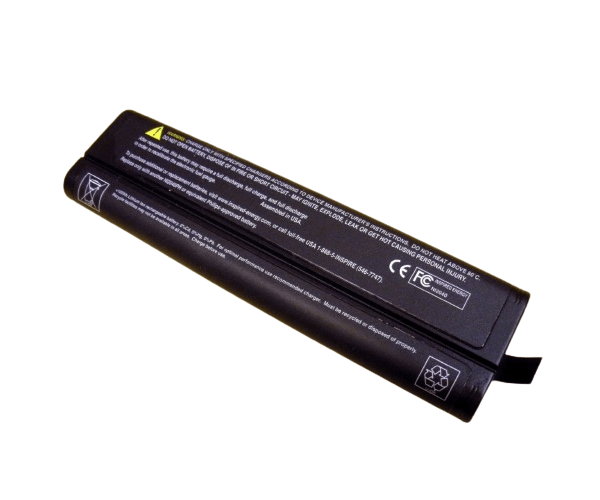
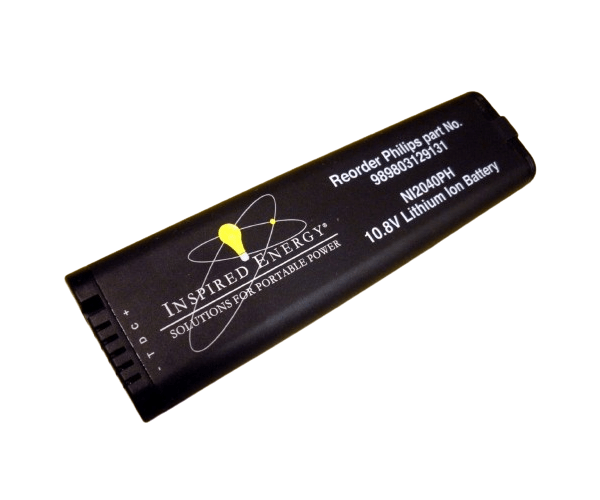
HP A6188-67004 A6188-67002 Battery Kit for the VA74XX Virtual Array Li-ion
The HP A6188-67004 A6188-67002 Battery Kit for the VA74XX Virtual Array Li-ion provides essential power backup for your VA74XX storage system. Designed to ensure uninterrupted operation, this battery kit supports your virtual array’s reliability and performance, keeping your data safe during power interruptions.
User Experience
Users of the HP A6188-67004 A6188-67002 Battery Kit appreciate its dependable performance and ease of use. The battery kit ensures that their VA74XX virtual array remains operational even during power failures, providing peace of mind and protecting critical data. The straightforward installation process and reliable backup capabilities enhance overall user satisfaction and confidence in their storage system’s resilience.
Why Choose the HP A6188-67004 A6188-67002 Battery Kit?
The
HP A6188-67004 A6188-67002 Battery Kit is a vital addition to your VA74XX Virtual Array, providing crucial power backup and ensuring continuous operation. This battery kit’s compatibility with the VA74XX system makes it an ideal choice for users needing reliable power support. By choosing the HP A6188-67004 A6188-67002 Battery Kit, you ensure that your storage system remains operational and data secure, even in the event of a power outage.
Key Features
- Li-ion Battery Type: Offers efficient and long-lasting power storage.
- High Capacity: Provides extended backup time to keep your virtual array operational.
- Compatibility: Specifically designed for VA74XX Virtual Array systems.
- Easy Installation: Simple to integrate into your existing setup.
- Reliable Backup: Ensures data protection and system continuity during power interruptions.
Installation Steps
- Power Down the Virtual Array: Turn off your VA74XX Virtual Array and disconnect it from any power sources.
- Locate the Battery Compartment: Find the battery compartment within your VA74XX system where the HP A6188-67004 A6188-67002 Battery Kit will be installed.
- Remove Existing Battery: If replacing an old battery, carefully remove it following the system’s instructions.
- Insert the New Battery: Align the HP A6188-67004 A6188-67002 Battery Kit with the compartment and insert it securely.
- Connect the Battery: Ensure the connectors are properly aligned and attached.
- Secure the Compartment: Replace any covers or panels and ensure they are securely fastened.
- Reconnect Power: Plug your VA74XX system back into the power source and turn it on.
- Verify Operation: Check the system status to confirm that the HP A6188-67004 A6188-67002 Battery Kit is functioning correctly.