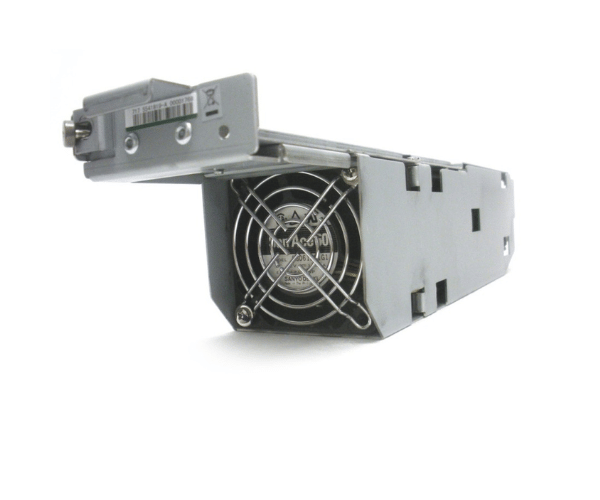
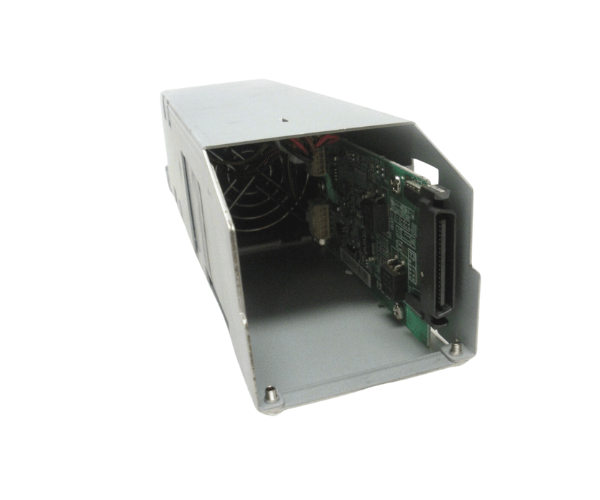
HP 5541819-A XP P9500 Chassis VSP Fan Module
The HP 5541819-A XP P9500 Chassis VSP Fan Module is essential for maintaining optimal cooling within HP XP P9500 storage systems. This high-performance fan module ensures effective airflow, helping to prevent overheating and support the stable operation of your storage hardware. Designed for reliability, it is a crucial component for system longevity.
User Experience
The HP 5541819-A XP P9500 Chassis VSP Fan Modules are praised for their efficient cooling performance and ease of installation. Users report that it significantly enhances the airflow within the HP XP P9500 storage chassis, effectively managing heat and improving system reliability. The fan module's lightweight design and straightforward installation process make it a preferred choice for maintaining optimal cooling in demanding environments. The dependable performance of the HP 5541819-A helps extend the lifespan of the storage system, making it a valuable component for data centers.
Why Choose the HP 5541819-A XP P9500 Chassis VSP Fans Module?
Choosing the
HP 5541819-A XP P9500 Chassis VSP Fan Modules ensures reliable and efficient cooling for your HP XP P9500 storage system. The module’s design is tailored to provide optimal airflow, prevent overheating, and support consistent system performance. The HP 5541819-A is specifically engineered for the XP P9500 chassis, offering a perfect fit and easy installation. By selecting the HP 5541819-A, you ensure that your storage system remains cool and operational, enhancing overall performance and longevity.
Key Features
- Efficient Cooling: Provides optimal airflow to prevent overheating and maintain system stability.
- Designed for XP P9500: Engineered specifically for HP XP P9500 storage systems.
- General Airflow Management: Ensures effective cooling across the chassis.
- Lightweight Design: Facilitates easy handling and installation.
- Straightforward Installation: Simple and quick setup process.
Installation Steps
- Power Down the System: Ensure the HP XP P9500 storage system is powered off before starting the installation.
- Locate the Fan Module Slot: Identify the fan module slot within the chassis.
- Remove the Existing Module (if applicable): Carefully take out any old or defective fan module from the slot.
- Insert the HP 5541819-A Fan : Align the new HP 5541819-A module with the slot and slide it into place.
- Secure the Module: Ensure that the fan module is properly seated and connected.
- Power On the System: Reconnect power and turn on the system to confirm that the new fan module is operating correctly.