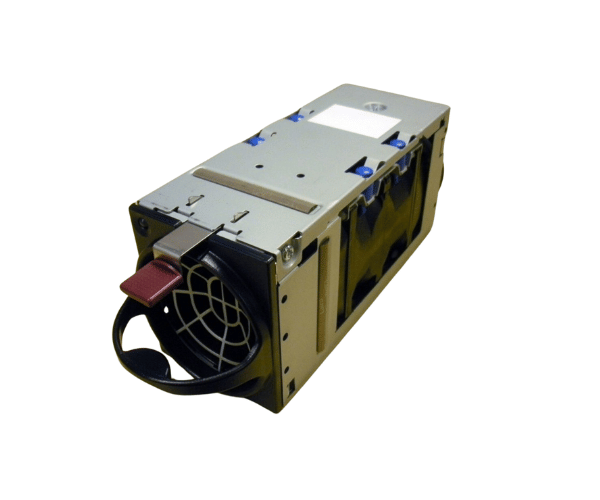
HP 507082-B21 / 507521-001 Single Active Cool 100 Fan for BLc3000 Enclosure
The
HP 507082-B21 / 507521-001 Single Active Cool 100 Fan is crucial for cooling the HP BLc3000 blade enclosure. Engineered for optimal airflow, this fan module helps prevent overheating and ensures smooth system operation. Ideal for maintenance or upgrades, the HP 507082-B21/507521-001 Single Active Cool 100 Fan keeps your equipment in top condition.
User Experience
Users of the
HP 507082-B21/507521-001 Single Active Cool 100 Fan have praised its performance and ease of installation. The fan is known for its ability to deliver consistent and reliable cooling, which helps to maintain system stability. Many users appreciate the quiet operation of the fan, making it suitable for noise-sensitive environments. The straightforward installation process allows for quick setup, reducing downtime during maintenance. Overall, the HP 507082-B21/507521-001 Fan enhances the performance and lifespan of the HP BLc3000 blade enclosure.
Why Choose the HP 507082-B21/507521-001 Single Active Cool 100 Fan?
Choosing the
HP 507082-B21/507521-001 Single Active Cool 100 Fan is a wise decision for maintaining the efficiency and longevity of your HP BLc3000 blade enclosure. This fan is engineered to provide optimal cooling, which is crucial for preventing overheating and ensuring reliable system performance. By selecting the HP 507082-B21/507521-001 Single Active Cool 100 Fan, you protect your hardware from heat-related damage, minimizing the risk of downtime and extending the life of your equipment. Its compatibility with the HP BLc3000 ensures it is a perfect fit for your cooling needs.
Key Features
- High-Efficiency Cooling: The HP 507082-B21/507521-001 Single Active Cool 100 Fan delivers effective airflow to keep your system cool.
- Quiet Operation: Designed for minimal noise, ideal for environments where noise control is important.
-
Easy Installation: Equipped with a plug-and-play design for fast and straightforward setup.
- Enhanced System Longevity: Maintains optimal temperatures to extend the lifespan of your HP BLc3000 blade enclosure.
- Reliable Performance: Built for continuous use, providing consistent cooling in demanding environments.
Installation Steps
- Power Down the System: Ensure the HP BLc3000 blade enclosure is powered off and disconnected from the power source before beginning the installation.
- Locate the Fan Slot: Find the slot designated for the HP 507082-B21 / 507521-001 Active Cool 100 Fan inside the enclosure.
- Remove the Old Fan: If replacing an existing fan, carefully remove it by sliding it out of its slot.
- Install the New Fan: Align the HP 507082-B21/507521-001 Single Active Cool 100 Fan with the slot and slide it into place until it is securely fitted.
- Reconnect Power: Plug the system back in and power it on to ensure the new fan is working correctly.
- Verify Operation: Check system diagnostics to confirm that the fan is providing the necessary cooling and operating as expected.