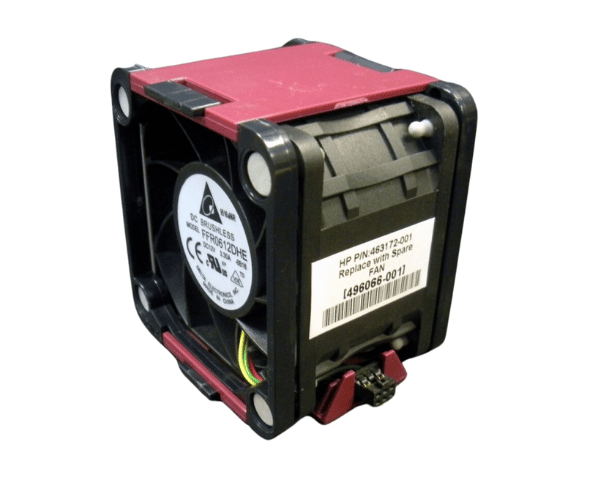
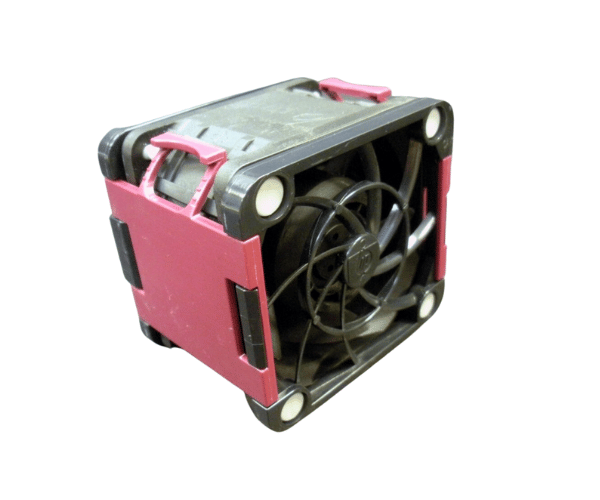
HP 496066-001 473172-001 60mm Fan for DL380 and DL385 G6/G7
The HP 496066-001 473172-001 60mm Fan is a critical component for ensuring the optimal performance of HP DL380 and DL385 G6/G7 servers. This high-quality fan is designed to provide efficient cooling, preventing overheating and maintaining the reliability of your server under heavy workloads. It is a must-have for anyone seeking to extend the lifespan of their server.
User Experience
Users of the HP 4960 66-001 473172-001 60mm Fan consistently praise its effectiveness in maintaining stable temperatures in their HP DL380 and DL385 G6/G7 servers. The fan operates at a high speed of 9600 RPM, which helps in delivering a strong airflow of 55 CFM. This airflow is crucial in keeping the server components cool, particularly during periods of high activity. Despite its powerful performance, the fan’s noise level is relatively low at 40 dBA, ensuring that it doesn’t add significant noise to the server environment. Installation is straightforward, making it a hassle-free replacement or upgrade option.
Why Choose the HP 496066-001 473172-001 60mm Fan?
Choosing the
HP 496066-001 473 172-001 60mm Fan is an excellent decision for anyone looking to maintain the longevity and performance of their HP DL380 or DL385 G6/G7 servers. This fan is specifically designed for these models, ensuring compatibility and optimal performance. The HP 496066-001 473172-001 60mm Fan offers high-speed cooling, quiet operation, and durability, making it an ideal choice for server maintenance. Its ease of installation also adds to its appeal, allowing users to quickly replace old or faulty fans without professional help.
Key Features
- High-Speed Performance: The fan operates at 9600 RPM, ensuring efficient cooling for critical server components.
- Efficient Airflow: Provides an airflow of 55 CFM, crucial for maintaining low temperatures in the server.
- Low Noise Level: Despite its power, the fan runs at 40 dBA, minimizing noise in the server room.
- Durable and Reliable: Built to last, the fan is designed for continuous operation in demanding server environments.
- Easy Installation: The 4-pin PWM connector ensures a quick and secure installation process.
Installation Steps
-
Turn Off the Server: Make sure the server is shut down and disconnected from the power source.
- Access the Interior: Open the server’s casing to access the internal components.
- Locate the Fan Slot: Identify the slot where the HP 496066-001 473172-001 60mm Fan will be installed.
- Remove Old Fan: If there is an old fan in place, disconnect it and remove it from the server.
- Install the New Fan: Carefully place the HP 496066-001 473172-001 60mm Fan into the slot and secure it.
- Connect the Fan: Attach the 4-pin PWM connector to the appropriate slot on the motherboard.
- Close the Server Casing: Once the fan is securely installed, close the casing.
- Power On the Server: Plug the server back in and turn it on to ensure the fan is operating correctly.