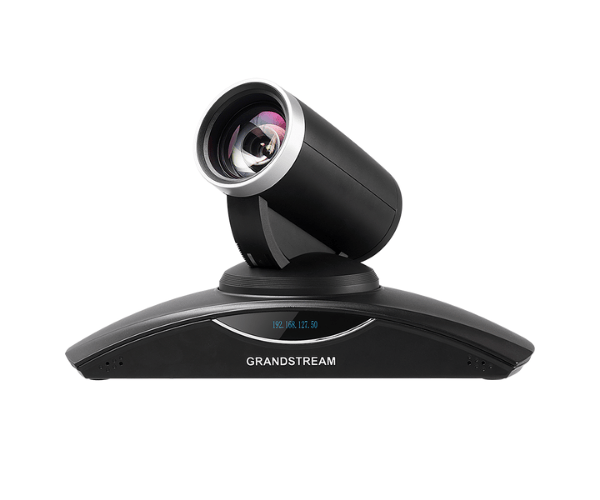
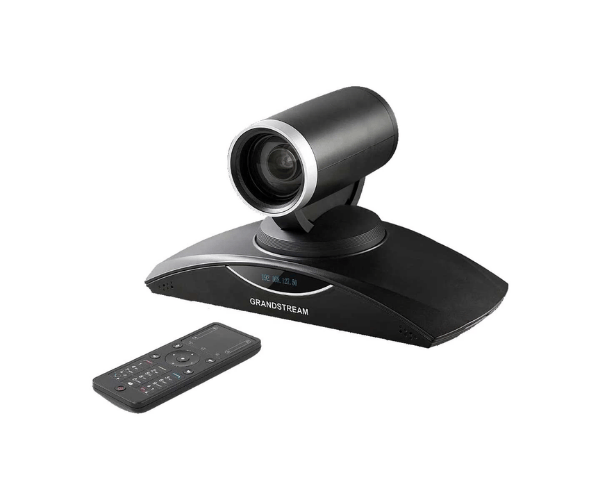
Grandstream GVC3200 Android Video Conference System
The Grandstream GVC3200 is a powerful enterprise-grade video conferencing device designed to provide flexible, high-quality communication for organizations. Powered by Android 4.4, the system supports seamless integration with multiple conferencing platforms and collaboration apps. With Full HD 1080p video, a 12× optical zoom PTZ camera, and support for up to 9-way video conferencing, the GVC3200 offers a complete solution for medium to large meeting environments.
Key Specifications
- Video Resolution: Full HD 1080p
- Camera: PTZ camera with 12× optical zoom
- Operating System: Android 4.4
- Video Conferencing: Up to 9-way video conferencing
- Video Outputs: Dual HDMI and VGA outputs
- Connectivity: Wi-Fi, Bluetooth, and Ethernet
- Audio Technology: Built-in microphone with noise reduction
- Platform Compatibility: Works with major conferencing platforms
Advanced Android-Based Video Conferencing Solution
The Grandstream GVC3200 is designed to simplify video conferencing for organizations by combining powerful hardware and a flexible Android platform in a single device. The integrated 12× optical zoom PTZ camera allows users to focus on specific participants or areas of the meeting room, ensuring clear visibility even in larger spaces. The system delivers 1080p Full HD video, making presentations and meetings appear professional and detailed.
Thanks to its Android operating system, users can install popular conferencing applications such as Zoom, Skype, Google Meet, and Microsoft Teams. The device also includes dual HDMI and VGA outputs, allowing connection to multiple displays for presentations and meeting collaboration.
Why Choose Grandstream GVC3200?
- Supports up to 9-way Full HD video conferencing
- 12× optical zoom PTZ camera for clear meeting visuals
- Android platform for flexible app integration
- Dual HDMI and VGA display outputs
- Built-in Wi-Fi and Bluetooth connectivity
- Advanced noise reduction audio system
- Remote management and upgrade capabilities
The GVC3200 is ideal for organizations that require scalable and reliable video conferencing infrastructure.
User Experience
Users appreciate the Grandstream GVC3200 for its smooth operation and familiar Android interface. The system delivers clear audio and video performance, while the PTZ camera allows easy adjustment to capture participants across the meeting room. Even in environments with moderate internet connectivity, the system provides stable communication, making it a dependable solution for professional meetings.
Installation Process
- Unbox the Device: Check that all components, such as camera, remote, cables, and adapter, are included.
- Position the Camera: Install the camera in the meeting room for optimal coverage.
- Connect Displays: Attach HDMI or VGA cables to monitors or projectors.
- Power the System: Plug in the power adapter and start the device.
- Network Configuration: Connect via Ethernet or configure Wi-Fi.
- Install Applications: Download conferencing apps if necessary.
- Test the System: Conduct a test meeting to verify video and audio performance.
Maintenance Tips
- Clean the camera lens regularly using a soft cloth.
- Keep the firmware and apps updated.
- Restart the system periodically for optimal performance.
- Store the device in a cool, dust-free environment.
- Monitor system updates through the Grandstream portal.
Where It Can Be Used?
- Corporate boardrooms and meeting rooms
- Government departments and ministries
- Educational institutions for online learning
- Hospitals and telemedicine communication
- Legal and court video hearings
- International business meetings