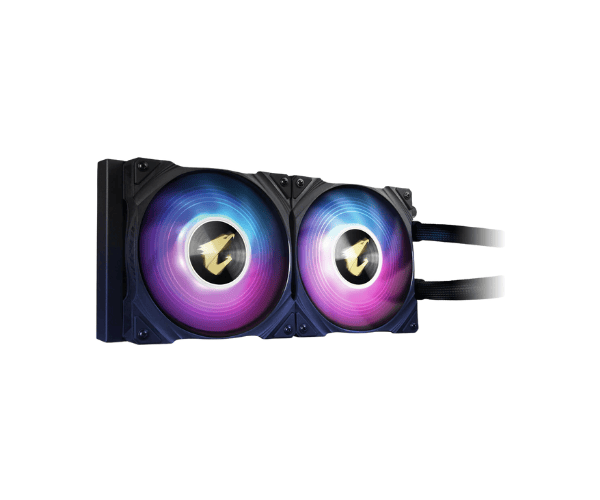
About this Gigabyte AORUS WATERFORCE 240 Liquid CPU Cooler with ARGB Lighting Display & Dual 120mm ARGB Fans
The Gigabyte AORUS WATERFORCE 240 AIO Liquid CPU Cooler delivers exceptional cooling performance with ARGB lighting display and dual 120mm ARGB fans, making it ideal for high-performance gaming rigs and overclocked systems.
Specifications
| Feature |
Details |
| Brand |
Gigabyte |
| Model |
Gigabyte AORUS WATERFORCE 240 |
| Cooler Type |
Liquid CPU Cooler |
| Series |
AORUS |
| Theme Display |
Yes |
| Bearing Type |
Sleeve |
| Number of Fans |
2 |
| Fan Size (Height) |
120mm |
| Fan Speed |
2150 RPM |
| Radiator Material |
Aluminum |
| Water Block Material |
Copper |
| Tube Material |
No |
| LED Color |
ARGB |
| Approx. Power Consumption |
15W |
| Supported CPU Socket Brand |
Intel & AMD |
| Body Color |
Black |
| Body Dimensions |
277 x 119 x 27mm |
Gigabyte AORUS WATERFORCE Liquid CPU Cooler in BD
The purpose of the Gigabyte AORUS WATERFORCE 240 AIO Liquid CPU Cooler is to help cool down the processor when it is put under duress by extreme gaming or heavy workloads. Dual 120mm ARGB fans with sleek ARGB lighting combine aesthetic appeal with performance.
User Experience
The Gigabyte AORUS WATERFORCE 240 AIO Liquid CPU Cooler is a game-changer for people who want serious cooling for their needs. For installation, the cooler easily mounts into most Intel and AMD sockets and requires a very basic knowledge for installation. Colors from the ARGB play a vital role in personalizing the look and feel of the build, creating breathtaking effects in the process. While under usage and high stress, noise levels and cooling power are impressively low. Everything really works directly from an overclocked CPU to an extreme gaming setup.
Why Go for the Gigabyte AORUS WATERFORCE 240 Liquid CPU Coolers?
For those in search of a cooling solution that still looks the part, the Gigabyte AORUS WATERFORCE 240 Liquid CPU Cooler should be your first choice. The potent dual-fan system will ensure optimal cooling performance even in sustained-use environments like gaming or video editing. Customizable ARGB lighting adds personality to your rig, while installation is a breeze. Whether you're starting a new build or giving your existing system an upgrade, the Gigabyte AORUS WATERFORCE 240 AIO cooler is a high-performance, aesthetically pleasing option that ticks both boxes.
Installation Steps
- Prepare Your PC: The first step is to switch off the PC and take out all the cables.
- Mount the Radiator: Install the 240mm radiator into the case where it can get maximum airflow.
- Fans Attachment: Mount dual 120mm ARGB fans onto the radiator bearing in mind the correct direction of airflow.
- Connect the CPU Block: The CPU block should now be connected onto the CPU socket while keeping it in place through screws included in the box.
- Join the ARGB and the power cables: ARGB cables should go into the motherboard or ARGB controller, while power cables from the cooler should be plugged into their respective headers.
- Power on Your PC: Power up the system and check that everything is running.
What is the Price of the Gigabyte AORUS WATERFORCE 240 AIO Liquid CPU Cooler with ARGB Lighting Display & Dual 120mm ARGB Fans in Bangladesh?
The latest price of
Gigabyte AORUS WATERFORCE 240 AIO Liquid CPU Cooler with ARGB Lighting Display & Dual 120mm ARGB Fans in Bangladesh depends on quantity.
Crystal Vision Solutions ensure This product has the best market price in Bangladesh. Our product is 100% original and lowest price in Bangladesh. All kinds of services are the best in Bangladesh, and contact us for any information and latest price.