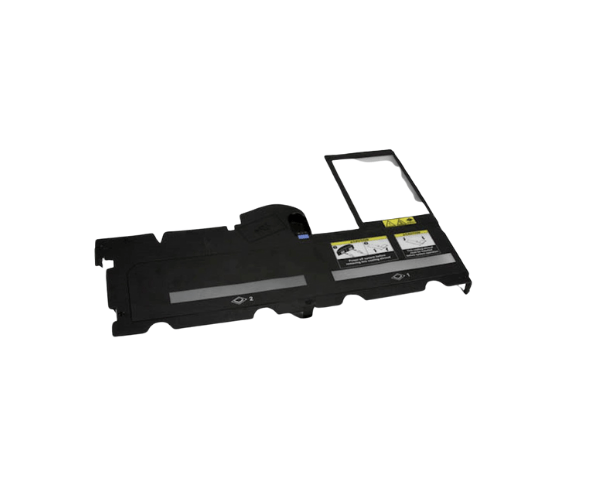
Overview of Dell RN191 PowerEdge 1950 Plastic DIMM Cooling Shroud Cover
The
Dell RN191 PowerEdge 1950 Plastic DIMM Cooling Shroud Cover optimizes airflow across memory modules in the Dell PowerEdge 1950 server, ensuring efficient cooling and enhanced performance. This specialized cooling shroud ensures your system maintains proper cooling, enhancing overall performance and extending the lifespan of the memory modules. Enhancing airflow management lowers the risk of overheating and reduces the need for server maintenance. If you're looking to maintain the efficiency of your PowerEdge 1950 server, this shroud cover is essential.
Why Choose Dell RN191 PowerEdge 1950 Plastic DIMM Cooling Shroud Cover?
The
Dell PowerEdge 1950 Plastic DIMM Cooling Shroud Cover provides an excellent solution to ensure your Dell PowerEdge 1950 server performs optimally. With proper cooling across the memory modules, this shroud reduces the risk of overheating, leading to fewer hardware failures and a more stable server environment. Whether you’re running critical applications or handling large data workloads, maintaining the right temperature is essential, and this product delivers on that front.
User Experience
Users have consistently reported improved system stability and fewer overheating issues after installing the
Dell PowerEdge 1950 Plastic DIMM Cooling Shroud Cover. It fits seamlessly into the server and enhances airflow without disrupting other components. Many users also appreciate the product's lightweight design, making it easy to install and remove when needed. In the long run, it has contributed to reducing maintenance needs by keeping the DIMM modules cool and functional.
Detailed Breakdown of Features
- Optimal Airflow: Ensures adequate cooling of memory modules in your server.
- Compatibility: Designed specifically for the Dell PowerEdge 1950 server.
- Durable Material: Made with premium plastic to ensure long-lasting performance.
- Lightweight Design: Easy to install without adding unnecessary weight to the system.
- Improved Cooling: Helps prevent overheating of the DIMM slots, enhancing server performance.
- Secure Fit: Custom-designed to fit perfectly into the PowerEdge 1950 DIMM slots.
- Reduced Maintenance: Lowers the need for frequent server maintenance by maintaining a stable operating temperature.
- Enhances Server Longevity: By preventing thermal issues, it helps extend the life of the server’s components.
- Easy Installation: The lightweight design and secure fit make installation quick and simple.
- Cost-Effective: Provides an affordable solution to enhance system performance without expensive upgrades.
Installation Step
- Power Down the Server: Power down the server by turning it off completely and disconnecting it from the power supply.
- Open the Server Chassis: Follow the instructions in the Dell PowerEdge 1950 manual to safely open the chassis.
- Locate the DIMM Slots: Identify the memory slots that require airflow optimization.
- Install the Cooling Shroud: Gently align the Dell Plastic DIMM Cooling Shroud Cover over the DIMM slots and ensure a secure fit.
- Close the Chassis: Once the shroud is properly installed, close the chassis and secure it.
- Power On the Server: Reconnect the power and power on the server to ensure everything functions smoothly.
Where It Can Be Used?
The
Dell PowerEdge 1950 Plastic DIMM Cooling Shroud Cover is primarily designed for use in the Dell PowerEdge 1950 server. However, it can be used in any environment where memory cooling is critical to ensure stable server operation.