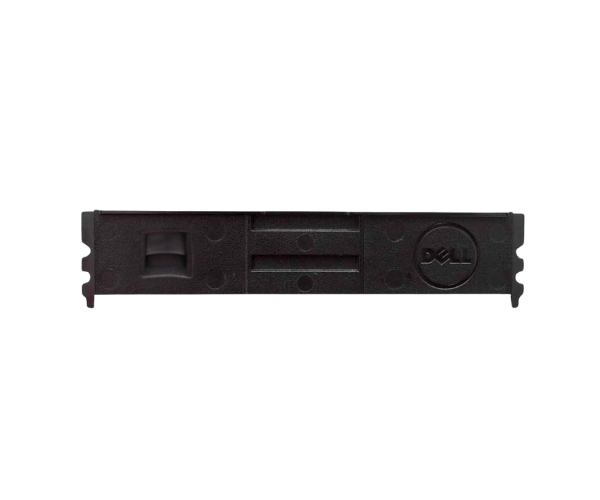
Overview of Dell 52P2C Memory RAM Filler Blanks
The
Dell 52P2C Memory RAM Filler Blanks are essential components for maintaining optimal performance and efficiency in Dell servers. Designed to fill unused memory slots, these filler blanks enhance the overall functionality of your server by improving airflow, reducing dust accumulation, and providing a professional look. By using the
Dell Memory RAM Filler Blanks, users can ensure their servers operate at peak performance while protecting sensitive components from environmental factors.
Why Opt the Dell 52P2C Memory RAM Filler Blanks?
Choosing the
Dell Memory RAM Filler Blanks is an important decision for anyone managing server infrastructure. These filler blanks not only enhance the appearance of your server by providing a clean, organized look but also play a critical role in maintaining optimal airflow. By filling empty memory slots, the
Dell Memory RAM Filler Blanks help prevent dust and debris from entering sensitive areas, thus reducing the risk of overheating and ensuring longer hardware life. They are a cost-effective solution that guarantees your server operates reliably and efficiently.
User Experience
Users frequently report high satisfaction with the
Dell Memory RAM Filler Blanks. They appreciate how easy it is to install these blanks, with many opting for a tool-less setup that saves time and effort. After installing the filler blanks, users notice improved airflow within their servers and a significant reduction in dust buildup. Many users have shared that the
Dell Memory RAM Filler Blanks have become a necessary addition to their server maintenance routine, ensuring that their systems run smoothly and efficiently.
Detailed Breakdown of Features
- Durable Construction: Crafted from premium plastic to ensure lasting durability and performance.
- Perfect Compatibility: Specifically designed to fit various Dell server models, ensuring a seamless fit.
- Tool-less Installation: Allows for quick and easy installation without the need for additional tools.
- Enhanced Airflow: Helps maintain optimal airflow, reducing the likelihood of overheating.
- Dust Protection: Prevents dust and debris from entering unused memory slots, keeping components clean.
- Lightweight Design: Ensures easy handling and installation without adding unnecessary weight to the server.
- Professional Appearance: Provides a neat and organized look for your server, enhancing its overall presentation.
- Easy Maintenance: Simple to clean, contributing to the overall health of the server.
- Versatile Use: Suitable for various Dell server environments, from data centers to enterprise applications.
- Cost-Effective Solution: An affordable way to enhance server reliability and performance.
Installation Steps
- Power Down the Server: Ensure the server is turned off and unplugged from the power source for safety.
- Identify Empty Memory Slots: Locate the vacant memory slots in your Dell server.
- Insert the Filler Blanks: Align the Dell Memory Filler Blanks with the empty slots and press down until they snap securely into place.
- Verify Secure Fit: Check that the filler blanks are securely installed and do not move.
- Reconnect Power Supply: Plug the power supply back into the server.
- Power On the Server: Turn on the server and confirm that it functions correctly without any issues.
Where It Can Be Used?
The
Dell Memory RAM Filler Blanks are primarily designed for use in Dell servers but can be effectively utilized in any compatible server environment that requires filling unused memory slots. Typical applications include:
- Data Centers: Maintain optimal airflow and cleanliness in high-performance server setups.
- Enterprise Servers: Ensure reliability and efficiency for critical business operations.
- Virtualized Environments: Support stable operating conditions for servers running multiple virtual machines.
- Small to Medium Businesses: Provide a cost-effective way to enhance server performance without extensive upgrades.