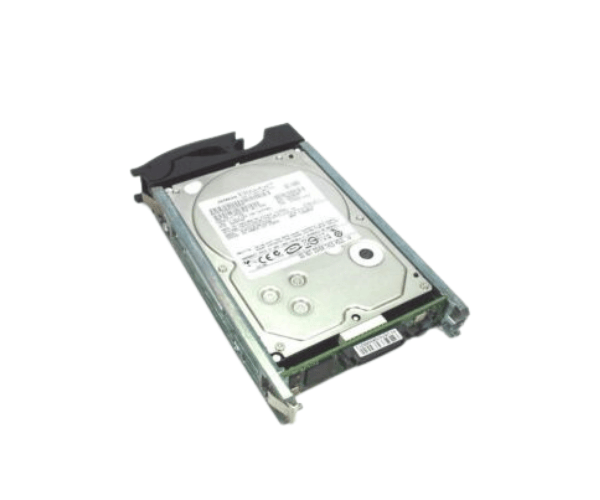
Overview of Dell R139X N7600 PowerEdge Right 2.5" SFF 8 Bay Hard Drive Blank Filler
The
Dell R139X N7600 PowerEdge Right 2.5" SFF 8 Bay Hard Drive Blank Filler is an essential accessory for optimizing server performance and maintaining a clean, efficient design. This filler component is specifically designed for PowerEdge servers that utilize 2.5-inch Small Form Factor (SFF) hard drives. By filling empty drive bays, this blank filler helps prevent dust accumulation and maintains optimal airflow, which improves the overall reliability of the system.
Why Opt Dell R139X N7600 PowerEdge Right 2.5" SFF 8 Bay Hard Drive Blank Filler?
Choosing the
Dell R139X Right 2.5" SFF 8 Bay Hard Drive Blank Filler is a smart investment for any server setup. It enhances the aesthetic appeal of your server by filling empty drive bays, preventing dust accumulation, and ensuring better airflow. This product is specifically designed for Dell PowerEdge servers, ensuring a perfect fit and reliable performance.
User Experience
Users appreciate the
Dell R139X N7600 for its straightforward installation process and its role in maintaining a tidy server environment. Many users have noted improvements in airflow and cooling efficiency once the blank filler is installed. Additionally, the durability of the product guarantees long-lasting service without the need for frequent replacements.
Detailed Breakdown of Features
- Optimal Airflow: Prevents dust and debris accumulation in empty bays, ensuring proper cooling.
- Easy Installation: Snap-in design allows for quick and hassle-free installation without the need for additional tools.
- Durable Construction: Made from high-quality materials that ensure longevity and reliability.
- Compatibility: Designed to fit seamlessly into Dell PowerEdge servers, guaranteeing a perfect fit.
- Lightweight: Does not add significant weight to your server, maintaining overall system balance.
- Aesthetic Appeal: Helps in maintaining a professional and organized look for server setups.
- Enhanced Reliability: Filling empty bays helps prevent potential hardware issues caused by dust and debris.
- Cost-Effective Solution: An affordable way to enhance server maintenance and longevity.
Installation Steps
- Identify Empty Bays: Locate the empty drive bays on your Dell PowerEdge server.
- Align the Filler: Take the Dell R139X N7600 blank filler and align it with the empty bay.
- Insert the Filler: Gently press the filler into the bay until it snaps securely into place.
- Check Stability: Ensure the filler is firmly in place and does not move easily.
- Power On the Server: Once installed, power on the server to ensure all components are functioning optimally.
Where It Can Be Used?
The
Dell R139X Right 2.5" SFF 8 Bay Hard Drive Blank Filler is suitable for use in various environments, including:
- Data Centers: Maintain a clean and efficient server setup.
- Corporate Offices: Corporate offices can maintain a clean and organized server room.
- Small to Medium Enterprises: Optimize server performance without significant investment.