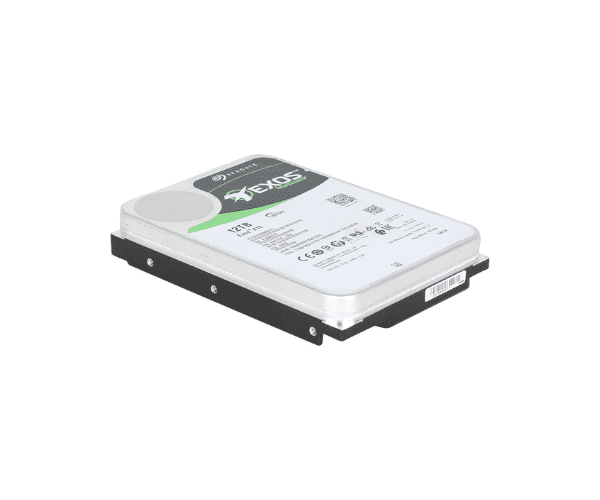
Buy the Seagate ST12000NM001G Hard Drive 12TB 7.2K SATA 3.5inch 6Gbps HDD
Seagate ST12000NM001G Hard Drive offers an impressive 12TB of storage with a 7,200 RPM spindle speed and a SATA 6Gbps interface. Designed for users requiring substantial data capacity and reliable performance, this drive is ideal for both enterprise and high-capacity home use. Key features include:
- Capacity: 12TB, providing ample storage for extensive data sets, large media libraries, and backup solutions.
- Speed: 7,200 RPM, ensuring fast data access and transfer rates.
- Interface: SATA 6Gbps, compatible with most modern systems and providing efficient data throughput.
- Form Factor: 3.5-inch, suitable for desktop PCs and enterprise servers.
User Experience:
The Seagate ST12000NM001G Hard Drive is well-regarded for its vast storage capacity and solid performance. Users report that its 12TB space is perfect for managing large amounts of data, whether for professional workloads or personal media collections. The 7,200 RPM speed offers a good balance between performance and power consumption, making it suitable for a variety of applications including data archiving, media storage, and system backups.
Why Choose Seagate ST12000NM001G Hard Drive 12TB 7.2K SATA 3.5-inch 6Gbps HDD?
The Seagate ST12000NM001G Hard Drive stands out due to its massive 12TB capacity, making it an excellent choice for those who need to store large volumes of data without compromising on performance. Compared to other drives, it offers superior storage space and reliable speed, making it ideal for enterprise environments, data centers, and users with extensive storage needs. The SATA 6Gbps interface ensures fast and efficient data transfer, while the 7,200 RPM speed provides a good mix of performance and energy efficiency.
Installation Steps:
- Power Down the System: Turn off Device.
- Open the Case: Remove any screws or latches that secure the computer case.
- Locate the Drive Bay: Find the appropriate 3.5-inch drive bay.
- Connect the Cables: Attach the SATA data cable and power cable to the drive.
- Mount the Drive: Secure the drive in the bay using screws or mounting brackets.
- Close the Case: Replace and secure the case panel.
- Power On: Turn on your system and initialize and format the drive using your operating system’s disk management tools.
Where It Can Be Used:
The
Seagate ST12000NM001G Hard Drive is versatile and suitable for:
- Enterprise Servers: Ideal for data centers and servers requiring high-capacity storage.
- Large Data Archives: Perfect for archiving large volumes of data, including backups and media.
- High-Capacity Workstations: Suitable for workstations managing large datasets, video editing, and other intensive applications.
- Network Attached Storage (NAS): Great for NAS systems that require substantial storage space.