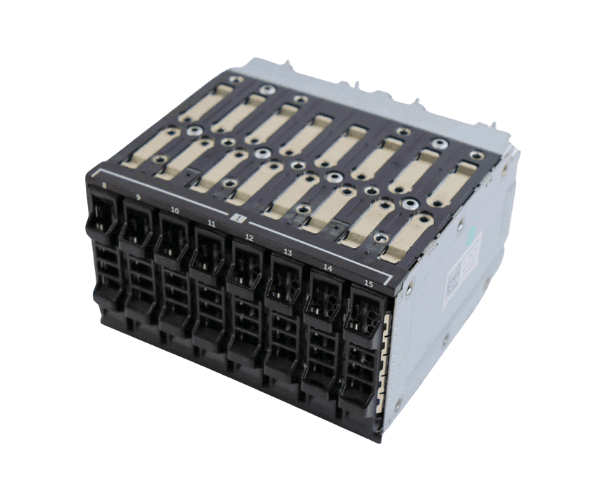
Overview of Dell N2R9K 2.5" 8-Bay Hard Drive Cage
The
Dell N2R9K 2.5" 8-Bay Hard Drive Cage is an essential component for data centers and businesses looking to enhance their server's storage capabilities. This hard drive cage is specifically designed to securely hold multiple 2.5-inch hard drives, ensuring optimal organization and reliability. With its innovative design, the Dell N2R9K cage helps streamline storage expansion while maintaining efficient airflow within your server system.
Why Opt the Dell N2R9K 2.5" 8-Bay Hard Drive Cage?
Choosing the
Dell N2R9K Hard Drive Cage means opting for superior storage management. This product not only maximizes your server's storage capacity but also enhances performance through efficient heat dissipation. Its tool-less design allows for quick and easy installation, making it a favorite among IT professionals. Additionally, using this hard drive cage ensures that your drives are organized, which helps in maintaining a clean and efficient server environment.
User Experience
Users value the
Dell 2.5" 8-Bay Hard Drive Cage for its straightforward design and overall efficiency. IT teams find it easy to install, while end-users benefit from the increased storage capacity and improved system performance. Customers report that the cage fits seamlessly into their existing server setups, providing a hassle-free expansion solution that promotes data integrity and organization.
Detailed Breakdown of Features
- Easy Installation: The tool-less design allows for a straightforward setup process, requiring no additional tools.
- High Storage Capacity: With eight bays, this cage supports multiple drives, ideal for data-intensive applications.
- Robust Material: Made from high-quality metal, ensuring durability and longevity.
- Compatibility: Designed to work with a variety of Dell PowerEdge servers, making it versatile for different setups.
- Efficient Airflow: The open design facilitates air circulation, helping to keep hard drives cool and functional.
- Lightweight Design: Despite its robust build, the cage is lightweight, allowing for easy handling during installation.
- Enhanced Data Management: Organizes multiple drives effectively, reducing clutter and improving server aesthetics.
- Flexible Expansion: Ideal for businesses looking to expand their data storage capabilities without extensive overhauls.
- Reliable Performance: Supports a range of 2.5-inch hard drives, ensuring optimal performance across applications.
- Cost-Effective Solution: Provides a practical solution for increasing storage capacity without a significant financial investment.
Installation Steps
- Prepare the Server: Ensure the server is powered down and unplugged before installation.
- Locate the Drive Bays: Open the server chassis to access the empty drive bays.
- Insert the Hard Drives: Place the 2.5-inch hard drives into the Dell N2R9K cage, ensuring a snug fit.
- Install the Cage: Insert the cage into the server's drive bay until it locks securely in place, ensuring a stable fit.
- Reconnect Power: Once installed, power on the server and check for drive recognition in the system BIOS.
Where It Can Be Used?
The
Dell 2.5" 8-Bay Hard Drive Cage is ideal for various settings, including:
- Data Centers: Perfect for organizations that require extensive data storage solutions.
- Small to Medium Businesses: A great option for companies looking to scale their storage capabilities.
- Remote Work Environments: Useful for servers in home office setups requiring more storage.
- Virtualization Hosts: Enhances storage for servers running multiple virtual machines.
- Backup Solutions: Ideal for dedicated backup servers needing additional hard drives.