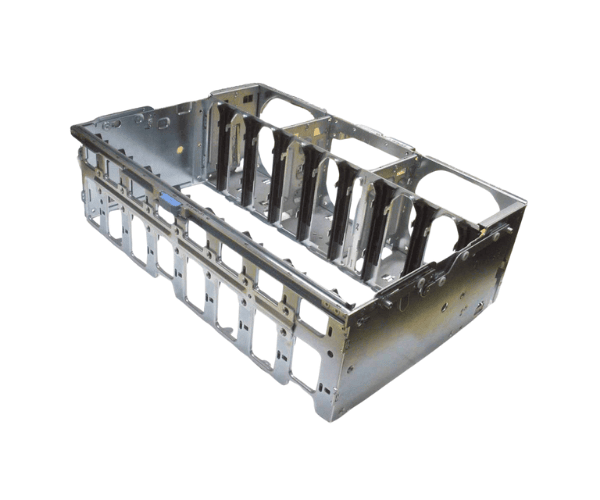
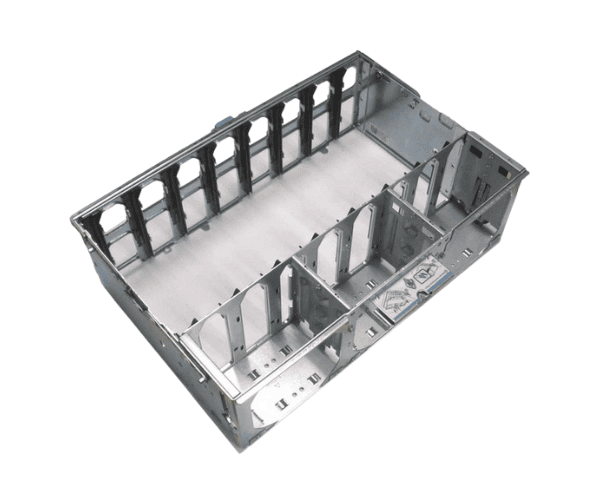
Introduction of Dell M0PMH Memory Riser Board Cage Chassis
The
Dell M0PMH Memory Riser Board Cage Chassis is a vital component designed to enhance the memory capabilities of Dell servers. This riser board enables efficient installation and management of memory modules, ensuring optimal performance and reliability. Its innovative design provides a secure housing for memory modules, making it an essential part of your server infrastructure.
Why Choose Dell M0PMH Memory Riser Board Cage Chassis?
Choosing the
Dell Memory Riser Board Cage Chassis ensures you get a reliable and efficient solution for expanding your server’s memory capacity. This riser board facilitates the installation of multiple memory modules, which improves data processing speed and overall system performance. With its robust construction and compatibility with Dell PowerEdge servers, it stands out as a superior choice for enhancing server capabilities.
User Experience
Users report that the
Dell Memory Riser Board Cage Chassis significantly simplifies the process of upgrading memory in Dell servers. Its intuitive design allows for easy access and installation, minimizing downtime during upgrades. Customers appreciate the enhanced stability and performance that comes from utilizing this quality riser board.
Detailed Breakdown of Features
- Robust Design: Constructed from high-quality materials for long-lasting performance.
- Multiple DIMM Support: Accommodates several DIMMs, allowing for extensive memory upgrades.
- Easy Installation: Snap-in design ensures quick and hassle-free installation.
- Enhanced Cooling: Features designed to improve airflow around the memory modules.
- Compatibility: Tailored for seamless integration with Dell PowerEdge servers.
- Space Efficiency: Optimizes server space while maximizing memory capacity.
- Durability: Designed to endure the demanding conditions of a data center environment.
- Cost-Effective: Offers an economical solution for expanding memory capabilities.
- User-Friendly: Crafted to simplify operations for server administrators, enhancing usability.
- Performance Enhancement: Directly improves server performance by maximizing memory availability.
Installation Steps
- Power Down the Server: Ensure the server is completely shut down and unplugged.
- Open the Server Chassis: Remove the cover to access the internal components.
- Locate the Riser Slot: Identify the designated riser slot on the server motherboard.
- Align the Riser Board: Carefully align the Dell Memory Riser Board Cage Chassis with the slot.
- Secure the Riser Board: Push down firmly until the riser board clicks into place.
- Install Memory Modules: Insert compatible memory modules into the slots on the riser board.
- Close the Chassis: Replace the server cover and ensure it is securely fastened.
- Reconnect Power: Plug the server back in and power it on.
- Verify Installation: Check the server management interface to ensure that the system recognizes the installed memory.
Where It Can Be Used?
The
Dell Memory Riser Board Cage Chassis is ideal for use in various environments, including:
- Data Centers: For servers requiring high memory capacity and reliability.
- Enterprise IT Departments: To manage large databases and applications efficiently.
- Cloud Storage Solutions: To support scalable memory requirements in cloud services.
- Virtualization Environments: To enhance performance and memory allocation for virtual machines.
- Development and Testing Labs: For quick memory upgrades during software testing and development.