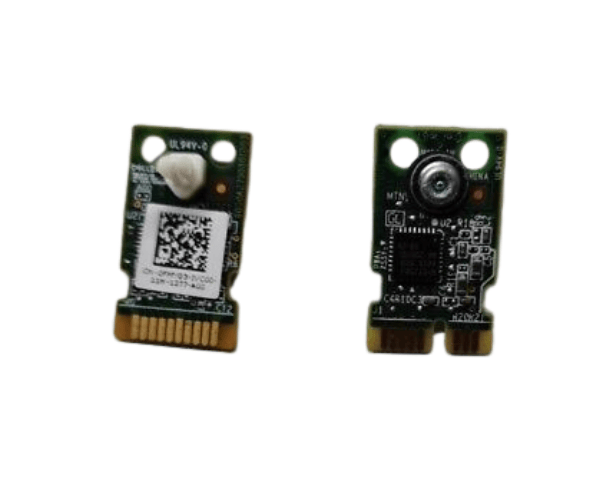
Introduction of Dell 1MW70 TPM Module for PowerEdge R640
The
Dell 1MW70 TPM Module for PowerEdge R640 is a crucial security component designed to enhance the protection of your server environment. This Trusted Platform Module (TPM) provides a robust layer of security by generating, storing, and managing encryption keys used for hardware authentication. In today's digital landscape, where data breaches and cyber threats are prevalent, having a reliable security measure like the Dell 1MW70 TPM Module is essential for safeguarding sensitive information and maintaining regulatory compliance.
Why Choose the Dell 1MW70 TPM Module for PowerEdge R640?
Choosing the
Dell TPM Module for PowerEdge R640 means investing in a security solution that significantly enhances the integrity of your server. This module not only secures encryption keys but also assists in ensuring that the server’s hardware is running trusted software. By incorporating this TPM module into your server environment, you achieve peace of mind, knowing that it better protects your sensitive data against unauthorized access and potential cyber threats. Additionally, the design of the Dell 1MW70 TPM Module specifically for the PowerEdge R640 ensures optimal performance and compatibility.
User Experience
Users report a seamless experience when integrating the
Dell TPM Module for PowerEdge R640 into their server setups. The installation process is straightforward, and the module operates quietly in the background, providing enhanced security without hindering system performance. IT administrators appreciate the added layer of security this module offers, allowing them to confidently manage sensitive data and applications.
Detailed Breakdown of Features
- Trusted Platform Module (TPM): Provides hardware-based security features for enhanced data protection.
- FIPS 140-2 Certification: Ensures compliance with federal security standards, making it suitable for government and regulated industries.
- Key Storage Capacity: Manages multiple encryption keys, facilitating secure communication and data transfer.
- Compact Design: The module's small form factor allows for easy integration into the PowerEdge R640 without requiring additional space.
- I2C Interface: Ensures efficient communication between the TPM module and the server's motherboard.
- Firmware Updates: Supports remote firmware updates, simplifying maintenance and enhancing security.
- Temperature Resilience: Operates efficiently within a wide temperature range, ensuring reliable performance in various environments.
- Secure Boot Support: Enhances server security by ensuring that only trusted software loads during the boot process.
- Platform Integrity: Monitors the integrity of the hardware and software, detecting any unauthorized changes.
- User-Friendly Integration: Simplifies the process of adding security features to existing server setups.
Installation Steps
- Prepare Your Workstation: Ensure your server is powered down and unplugged to avoid any electrical issues during installation.
- Locate the TPM Slot: Identify the TPM module slot on the PowerEdge R640 motherboard, usually indicated in the user manual.
- Insert the Module: Carefully insert the Dell 1MW70 TPM Module into the designated slot until it is securely in place.
- Power Up the Server: Reconnect the power and turn on the server.
- Access BIOS Settings: Enter the BIOS setup during boot to enable the TPM module.
- Configure TPM Settings: Navigate to the security settings in BIOS to configure the TPM options according to your security needs.
- Complete Installation: Save changes and exit BIOS. The module is now ready for use.
Where It Can Be Used?
The
Dell TPM Module for PowerEdge R640 is versatile and can be used in various settings, including:
- Enterprise Environments: Enhance data security for large organizations that handle sensitive customer information.
- Financial Institutions: Protect financial transactions and sensitive customer data in banks and investment firms.
- Government Agencies: Comply with stringent security regulations and protect classified information.
- Healthcare Providers: Secure patient data and ensure compliance with HIPAA regulations.
- Cloud Service Providers: Safeguard data in cloud environments where multiple clients share infrastructure.