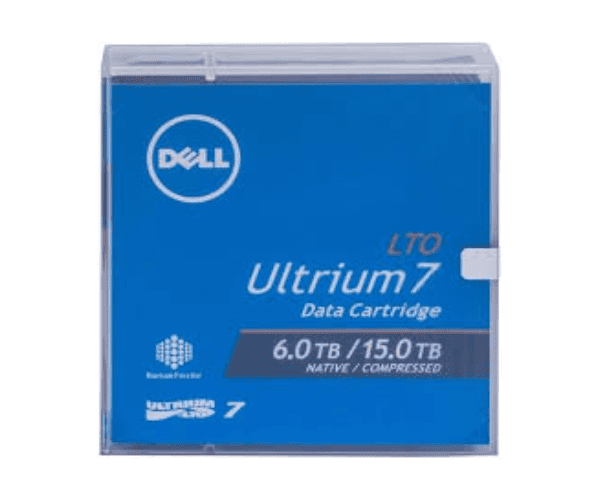
Buy the Dell LTO 7 Ultrium Data Cartridge
Dell LTO 7 Ultrium Information Cartridge is a strong and proficient information stockpiling arrangement, intended to meet the developing requirements of organizations for secure and dependable information reinforcement and documenting. This cartridge is ideal for large-scale data storage requirements because it offers a perfect balance of high capacity and fast data transfer rates, with a native capacity of 6TB and the capacity to compress up to 15TB. A robust design for long-term durability and a transfer rate of up to 300 MB/s (native) and 750 MB/s (compressed) are key features.
User Experience:
The
Dell LTO 7 Ultrium Tape's high capacity, quick transfer rates, and dependable performance are well-liked by its customers. The cartridge is not difficult to utilize, and its solid plan guarantees that information stays secure over the long run. Whether for day to day reinforcements or long haul chronicling, this cartridge gives a consistent and reliable client experience.
Why Choose Dell LTO 7 Ultrium Data Cartridge?
The
Dell LTO 7 Ultrium Data Tape is an ideal decision for organizations looking for a high-limit, dependable, and strong information stockpiling arrangement. It is the best option for protecting large amounts of data because of its large storage capacity, rapid data transfer rates, and long archival life. It is also easy to integrate into your existing system because it is compatible with LTO-7 and LTO-6 drives.
Installation Steps:
- Prepare the Drive: Ensure your LTO-7 or LTO-6 drive is clean and operational.
- Insert the Cartridge: Gently insert the Dell LTO 7 Ultrium Information Cartridge into the drive.
- Initiate Backup: Use your backup software to begin the data backup process.
- Eject and Store: After the backup is complete, eject the cartridge and store it in a cool, dry place.
Uses of the Dell LTO 7 Ultrium Data Cartridge:
- Data Archiving: Ideal for long-term storage of important business data.
- Data Backup: Regular backups to protect against data loss.
- Disaster Recovery: Store off-site backups for disaster recovery planning.
- Large File Storage: Suitable for storing large files such as videos and databases.



-70x60h.png "EcoFlow 400W Portable Solar Panel")
-70x60h.png "EcoFlow 60W Portable Solar Panel")