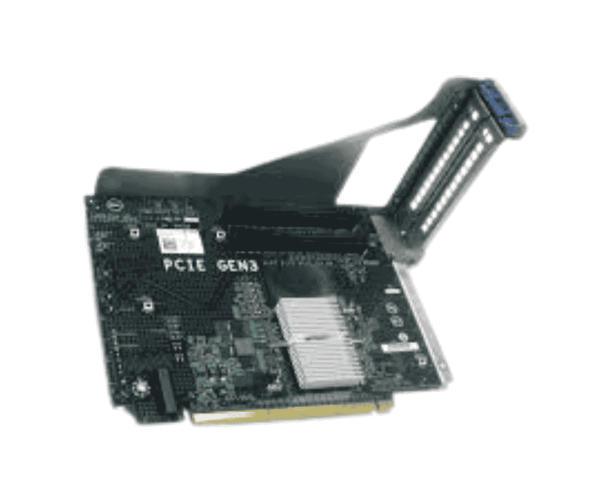
The Dell 9V5PH PCIE Right Riser Expansion Board boosts your server's functionality by adding extra PCIE slots. Tailored for Dell servers, this expansion board offers enhanced flexibility and performance, making it a crucial component for businesses aiming to optimize their IT infrastructure.
Dell 9V5PH PCIE Right Riser Expansion Board in BD
The
Dell 9V5PH Right Riser Expansion Board is available in Bangladesh, allowing local businesses to upgrade their systems with ease. This expansion board is a reliable option for improving server performance and ensuring smooth operations across a range of applications.
User Experience
Users have shared favorable feedback about the
Dell 9V5PH Riser Expansion Board, emphasizing its straightforward installation process and significant performance enhancements. The extra PCIe slots provide flexibility in hardware setups, enabling users to tailor their servers to meet specific requirements.
Why Choose the Dell 9V5PH PCIE Right Riser Expansion Board?
Opting for the
Dell 9V5PH Right Riser Expansion Board means investing in a reliable solution that expands your server’s capabilities. With two additional PCIE slots, this board allows for versatile configurations, enabling your server to handle evolving workloads and applications efficiently.
Key Features
- Expanded Connectivity: Adds two PCIe slots for enhanced flexibility and performance.
- Compatibility: Specifically designed for Dell servers, ensuring seamless integration.
- Durable Construction: Built to withstand operational demands for long-term reliability.
- User-Friendly Installation: Simple setup process with clear instructions for quick deployment.
- Optimized Performance: Supports multiple expansion cards to enhance server functionality.
Installation Steps
- Power Down: Turn off your server and unplug it from the power outlet.
- Open the Case: Remove the access panel to reach the motherboard.
- Locate PCI Slot: Identify an available PCI slot on the motherboard.
- Insert the Riser Board: Align the Dell 9V5PH Right Riser Expansion Board with the slot and gently push it into place.
- Fasten the Board: Use screws to securely attach the board to the chassis
- Reattach the Case: Replace the access panel of the server.
- Restore Power: Plug the server back in and switch it on.
- Install Drivers: If necessary, install drivers for any new hardware added.
Where it Can Be Used?
The
Dell 9V5PH Right Riser Expansion Board can be utilized in various environments, including:
- Data Centers: Enhancing server performance and scalability.
- Corporate IT Infrastructure: Supporting diverse applications and workloads.
- Virtualization: Enabling efficient operation of multiple virtual machines.
- High-Performance Computing: Ideal for demanding tasks requiring substantial processing power.



-70x60h.png "Dell 0VG0Y PCI PowerEdge R440/R540 Riser Card")


