The
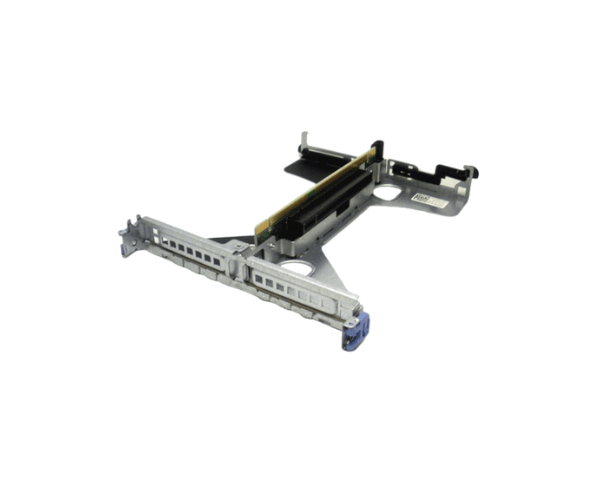
Dell 37RG8 PowerEdge R620 Riser Card is designed to expand the capabilities of your Dell PowerEdge R620 server. Offering enhanced PCIE slot options, this riser card enables you to add additional components for improved performance and flexibility, making it ideal for demanding applications in enterprise environments.
Dell 37RG8 PowerEdge R620 Riser Card in BD?
The
Dell 37RG8 PowerEdge Riser Card is available in Bangladesh, catering to IT professionals and businesses looking to enhance their server infrastructure. Local suppliers provide reliable installation support to ensure optimal performance.
User Experience
Users report high satisfaction with the
Dell 37RG8 PowerEdge Riser Card. Its ability to support additional PCIE devices results in improved processing power and workload management. The straightforward installation process further enhances user convenience, allowing for quick upgrades without significant downtime.
Why Select The Dell 37RG8 PowerEdge R620 Riser Card?
Choosing the
Dell 37RG8 PowerEdge Riser Card means investing in enhanced performance and scalability for your server. Its support for multiple PCIE devices allows for powerful computing capabilities, essential for resource-intensive applications. The card's durable design ensures long-lasting reliability under heavy workloads.
Key Features
- Enhanced Scalability: Supports up to 2 PCIE 3.0 slots for improved performance.
- Reliable Performance: Built to handle demanding applications with stability and efficiency.
- Flexible Integration: Easily integrates into the Dell PowerEdge R620, allowing for tailored configurations.
- User-Friendly Design: Simplified installation process minimizes downtime during upgrades.
Installation Steps
- Prepare Your Server: Power off your Dell PowerEdge R620 and unplug it from the electrical outlet.
- Access the Riser Card Slot: Open the server chassis to locate the riser card slot.
- Insert the Riser Card: Align the Dell 37RG8 PowerEdge Riser Card with the slot and gently press down until it is securely seated.
- Secure the Card: Fasten any screws or latches to hold the riser card in place.
- Reconnect and Test: Close the chassis, reconnect the power, and power on your server to ensure the riser card is functioning correctly.
Where It Can Be Used?
The
Dell 37RG8 PowerEdge Riser Card is suitable for various environments, including:
- Data Centers: For enhanced processing power in virtualization and cloud applications.
- Enterprise Servers: Ideal for businesses requiring robust performance for database management and analytics.
- High-Performance Computing: Perfect for research institutions needing advanced computing capabilities.



-70x60h.png "Dell 0VG0Y PCI PowerEdge R440/R540 Riser Card")


