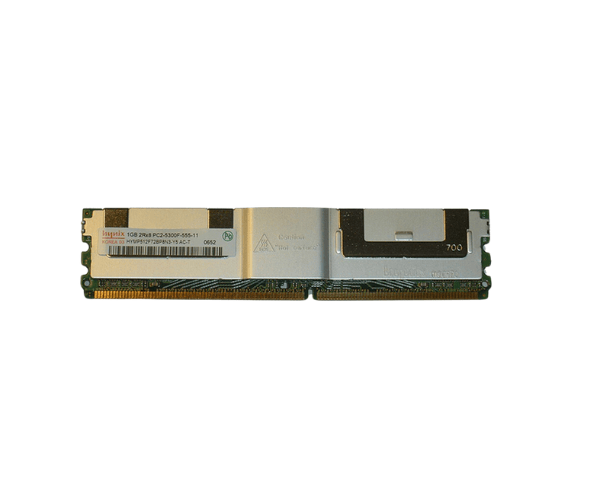
IntroductionDell 9F030 1GB PC2-5300F 667MHz DDR2 Memory
The
Dell 9F030 1GB PC2-5300F 667MHz DDR2 Memory module is designed to boost your computer's performance. It ensures seamless operation across various applications. This memory solution offers reliability and efficiency. It is perfect for users looking to enhance their computing experience without overspending. The Dell 9F030 combines enough capacity with optimal speed. This makes it a great choice for daily tasks and specialized activities alike.
Why Choose the Dell 9F030 1GB PC2-5300F 667MHz DDR2 Memory?
Opting for the
Dell 9F030 1GB 667MHz DDR2 Memory is a smart move for anyone seeking to efficiently elevate their system's performance. This memory module provides a critical upgrade for older computers while enhancing overall responsiveness and multitasking capabilities. With its 1GB capacity and speed of 667MHz, the Dell 9F030 ensures that your applications function smoothly, making it a fantastic choice for home and office environments alike.
User Experience
Users have shared their satisfaction with the
Dell 9F030 memory module. Many have observed a noticeable performance boost in their systems, especially when multitasking or running memory-intensive applications. The installation process is user-friendly, allowing individuals to upgrade their systems effortlessly. Furthermore, the reputable Dell brand assures users that they are investing in a high-quality product. The inclusion of ECC support also enhances data integrity, crucial for those managing important applications.
Detailed Breakdown of Features
- High Capacity: Offers 1GB of memory, sufficient for basic tasks and light multitasking.
- Speed: Operates at 667MHz, significantly improving the performance of compatible systems.
- ECC Technology: Features Error-Correcting Code that identifies and rectifies data errors, boosting reliability.
- Low Voltage: Engineered to operate at 1.8V, minimizing overall power usage.
- Durable Design: Built to endure regular use in diverse computing environments.
- Easy Installation: The DIMM form factor facilitates straightforward installation, making upgrades quick and simple.
- Compatibility: Works well with a variety of Dell systems and motherboards that accept DDR2 memory.
- Stable Performance: Perfect for users requiring consistent performance for everyday applications.
- Cost-Effective Upgrade: A budget-friendly option to enhance system performance without heavy investment.
- Proven Reliability: Supported by Dell’s long-standing reputation for quality memory solutions.
Installation Steps
- Power Down the System: Ensure your computer is completely turned off and unplugged to avoid electrical hazards.
- Open the Computer Case: Utilize a screwdriver to remove the screws or latches holding the computer case in place, allowing access to the internal components.
- Locate the Memory Slots: Find the DIMM slots on the motherboard, usually located near the CPU.
- Remove Old Memory (if necessary): If replacing existing memory, gently press the clips on either side of the old memory module to release it.
- Insert the Dell 9F030 Memory: Align the notch on the memory module with the slot and press down firmly until the clips secure it in place.
- Close the Computer Case: Replace the screws or latches to close the computer case securely.
- Reconnect Power: Plug your computer back into the power source.
- Boot the System: Power on the computer and enter the BIOS setup to verify that the new memory is detected and operating properly.
Where It Can Be Used?
The
Dell 1GB PC2-5300F 667MHz DDR2 Memory is adaptable and ideal for a range of applications, such as:
- Personal Computers: Ideal for upgrading older desktop systems to boost performance for basic tasks.
- Workstations: Perfect for workstations needing additional memory for applications like word processing, spreadsheets, and light graphic design.
- Servers: An excellent choice for older servers requiring a memory upgrade to efficiently run applications and manage data.
- Home Theater PCs: Enhances the performance of media centers that rely on smooth video playback and basic multitasking.
Investing in the
Dell 9F030 allows users to experience improved system performance and enhanced capabilities across a range of applications, making it a valuable addition to any computer setup.