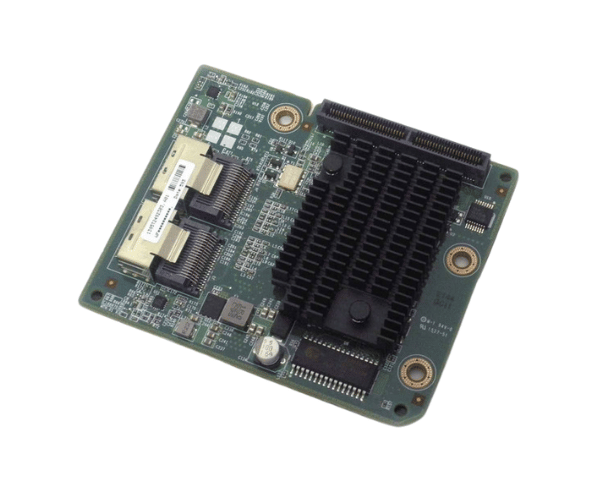
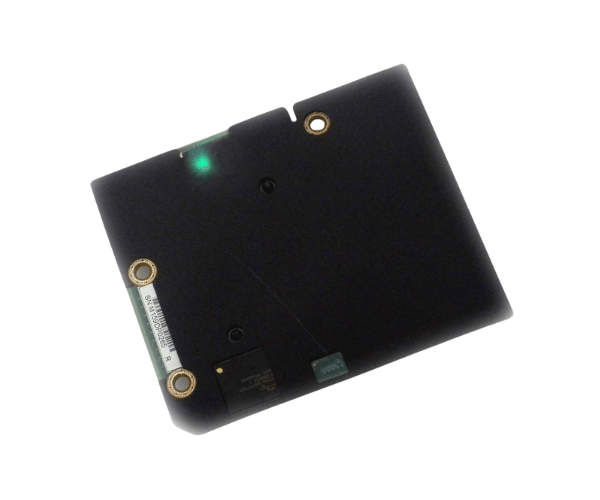
Introduction of Dell 471NY LSI SAS 2008 8-Port Daughter Card Controller
The
Dell 471NY LSI SAS 2008 8-Port Daughter Card Controller is a powerful storage controller designed for enterprise use. It offers efficient data management, making it ideal for businesses needing fast data access. This controller delivers robust performance and reliability. Its 8-port architecture allows multiple devices to connect easily, boosting overall productivity. Whether for high-speed data access or effective storage solutions, the Dell 471NY meets the demands of modern data environments.
Why Choose the Dell 471NY LSI SAS 2008 8-Port Daughter Card Controller?
Choosing the
Dell 471NY SAS 2008 8-Port Daughter Card Controller offers businesses a reliable solution for their storage needs. This controller enhances data transfer speeds, allowing for quick access and retrieval of information. Its support for multiple drives ensures scalability, making it a great choice for growing data centers. Additionally, the robust performance and reliability of the Dell 471NY make it suitable for critical applications where data integrity is essential.
User Experience
Users of the
Dell 471NY LSI 2008 8-Port Daughter Card Controller report excellent performance and stability. Many have noted the ease of installation and configuration, which significantly reduces downtime during upgrades. The controller’s efficient data handling allows for smoother operations in environments that demand high availability. Furthermore, customers appreciate the enhanced storage capacity that the 8-port configuration provides.
Detailed Breakdown of Features
The Dell 471NY LSI SAS 2008 8-Port Controller features a total of eight connection ports. It supports both SAS and SATA drives, giving users flexible storage options. This flexibility lets users mix and match drives based on their needs. With a data transfer rate of up to 6Gb/s per port, data transfers occur quickly. This speed is essential for applications that need high-speed access. Additionally, the 512MB cache memory boosts performance. It accelerates read and write operations, improving overall system responsiveness. Built for reliability, this controller is ideal for enterprise-level tasks.
Installation Steps
- Prepare the System: Turn off the server and unplug it from all power sources.
- Locate the Slot: Find an available PCIe slot in your server.
- Insert the Controller: Place the Dell 8-Port Daughter Card Controller into the slot. Ensure it fits snugly.
- Secure the Controller: Use screws to secure the controller firmly.
- Connect Storage Drives: Attach your SAS or SATA drives to the controller. Use the right cables and ensure all connections are tight.
- Boot and Configure: Power on the server. Access the BIOS or RAID utility to verify the controller is recognized.
- Complete Setup: Follow the on-screen instructions to configure your RAID settings. Make sure the drives are set up correctly.
Where It Can Be Used?
The
Dell 471NY LSI SAS 8-Port Daughter Card Controller is ideal for use in various applications, including data centers, enterprise storage solutions, virtualization environments, and high-performance computing. Its ability to handle multiple connections makes it suitable for tasks that require extensive data processing and storage, such as database management and cloud computing.