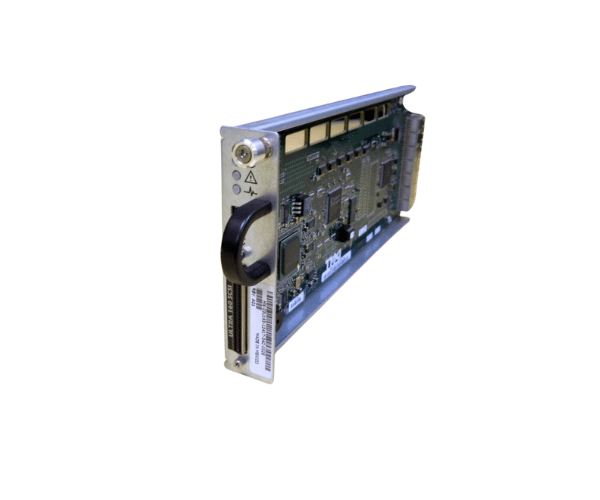
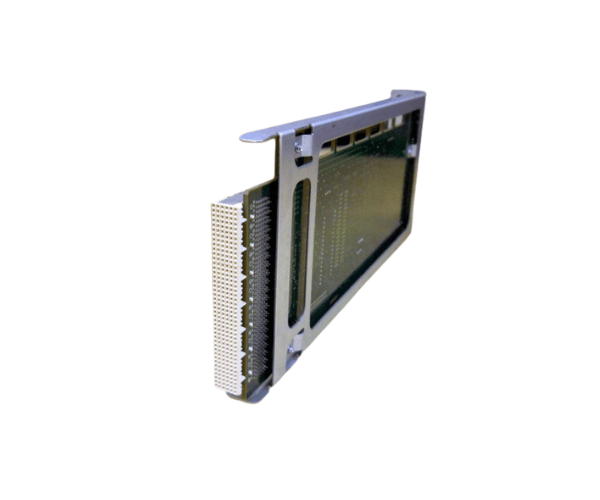
Introduction of Dell 3U183 PowerVault PV220S U160 SCSI Controller
The Dell 3U183 PowerVault PV220S U160 SCSI Controller delivers high performance to enhance storage management in Dell PowerVault systems. This controller provides reliable connectivity and efficient data transfer, making it an ideal choice for businesses that need robust data storage capabilities. With seamless integration and advanced features, the Dell 3U183 keeps your data secure and accessible, supporting your business's growth and operational efficiency.
Why Opt the Dell 3U183 PowerVault PV220S U160 SCSI Controller?
Choosing the Dell 3U183 PowerVault U160 SCSI Controller provides your organization with a dependable and efficient solution for managing data storage. This controller ensures high-speed data transfer and robust connectivity, which enhances the overall performance of your storage systems. Additionally, the Dell 3U183 is designed to work seamlessly with other Dell PowerVault products, ensuring compatibility and ease of use. By investing in this controller, you are optimizing your data infrastructure while maintaining reliability and security.
User Experience
Users of the Dell 3U183 PowerVault PV220S SCSI Controller often express satisfaction with its performance and reliability. They appreciate the controller's easy installation process, which minimizes downtime during setup. Many users report improved data access speeds and enhanced system responsiveness after integrating the Dell 3U183 into their storage systems. The controller's ability to handle multiple SCSI drives effectively contributes to a more efficient data management experience.
Detailed Breakdown of Features
The Dell 3U183 PowerVault PV220S U160 Controller comes equipped with several advanced features that boost its performance. This controller supports SCSI U160 connectivity, enabling high-speed data transfer rates of up to 160 MB/s. It effectively manages multiple SCSI drives, providing flexibility in data storage configurations. The PCI-X form factor ensures compatibility with a wide range of Dell servers, making it an ideal choice for businesses that want to upgrade their existing storage systems. Additionally, the Dell 3U183 offers robust error handling capabilities, which ensures data integrity and reliability.
Installation Steps
- Prepare the Server: Ensure that the server is powered off and disconnected from the power source.
- Identify the PCI-X Slot: Look for an available PCI-X slot on the motherboard, ensuring it's free for use.
- Position the Controller: Align the Dell controller with the PCI-X slot and gently push it in until it fits snugly and securely.
- Connect Cables: Attach the necessary SCSI cables to connect the controller to the storage drives.
- Install Drivers: Follow the manufacturer's instructions to install the necessary drivers for the controller on your system.
- Power On the Server: Reconnect the power supply and turn on the server.
Where It Can Be Used?
The
Dell PowerVault PV220S U160 SCSI Controller is suitable for various environments that require reliable data storage solutions. It can be used in data centers, small to medium-sized businesses, and enterprise environments that utilize Dell PowerVault systems. This controller is particularly effective in scenarios where high-speed data access and multiple drive configurations are necessary, such as database management, file storage, and application hosting.