The
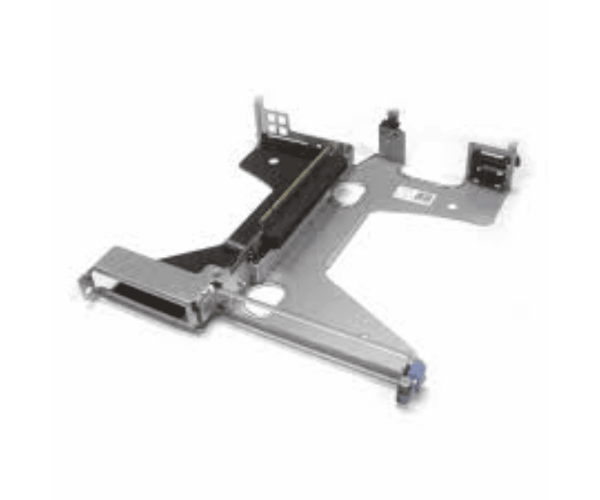
Dell 3G69K Riser Card 1 & 2 for PowerEdge R430 expands the capabilities of your server by providing additional PCIE slots. This riser card enhances performance and flexibility, making it an essential component for businesses that require reliable and scalable server solutions.
Dell 3G69K Riser Card 1 & 2 for PowerEdge R430 in BD
The
Dell 3G69K Riser Card PowerEdge R430 is available in Bangladesh, making it easy for local businesses and IT professionals to enhance their server capabilities. This riser card is a popular choice for those looking to boost performance.
User Experience
Users have reported positive experiences with the
Dell 3G69K Riser Card. Many appreciate the simplicity of installation and the noticeable increase in performance after adding the card. The ability to expand with multiple PCIE devices has proven valuable for various applications.
Why Select The Dell 3G69K Riser Card 1 & 2 for PowerEdge R430?
Choosing the
Dell 3G69K Riser Card means investing in a reliable solution that enhances the PowerEdge R430's capabilities. With the flexibility to add two additional PCIE slots, this riser card allows for future upgrades, ensuring your server can adapt to growing demands.
Key Features
- Increased Expansion: Offers two additional PCIE slots for enhanced connectivity.
- Compatibility: Specifically designed for Dell PowerEdge R430 servers.
- Robust Build: Durable design for reliable performance.
- Easy Installation: Designed for straightforward setup, this riser card comes with simple instructions for a hassle-free installation process.
- Enhanced Performance: Supports various expansion cards for optimized operation.
Installation Steps
- Power Down: Shut down your PowerEdge R430 server and unplug it from the power source.
- Open Case: Remove the server's access panel to reveal the motherboard.
- Locate Riser Slot: Find the specific riser slot on the motherboard where the card will be installed.
- Insert Riser Card: Align the Dell 3G69K Riser Card 1 & 2 with the slot and gently push it into place.
- Secure Riser Card: Fasten the card in place using screws provided.
- Reattach Case: Put back the access panel of the server.
- Power Up: Plug in the server and turn it on.
- Install Drivers: If needed, install drivers for any new PCIE devices.
Where it Can Be Used?
The
Dell 3G69K Riser Card can be utilized in various environments, including:
- Data Centers: For enhanced server performance and scalability.
- Corporate IT Infrastructure: To support diverse applications and workloads.
- Virtualization Environments: Enabling seamless operation of multiple virtual machines.
- High-Performance Computing: Ideal for tasks requiring advanced computational power.



-70x60h.png "Dell 0VG0Y PCI PowerEdge R440/R540 Riser Card")


