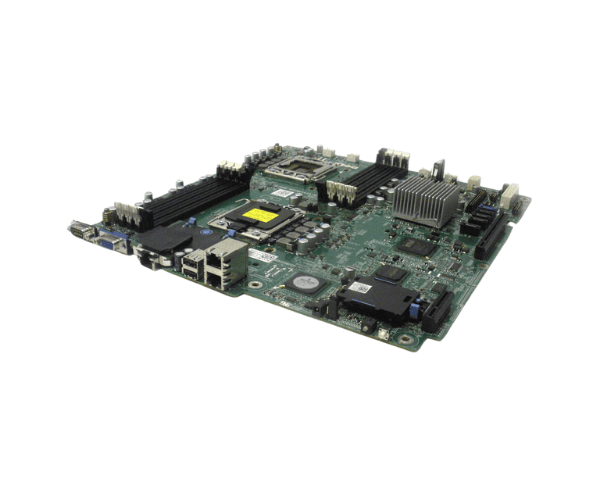
Overview of Dell 0HDP0 V2 System Board for PowerEdge R510
The
Dell 0HDP0 V2 System Board for PowerEdge R510 serves as a vital component that significantly enhances your server's performance and reliability. In today's fast-paced business landscape, having a dependable system board is essential for smooth operations. This model is specifically designed for the PowerEdge R510, offering advanced features that cater to various applications, including virtualization and data processing.
Why Opt the Dell 0HDP0 V2 System Board for PowerEdge R510?
Choosing the
Dell V2 System Board for PowerEdge R510 ensures that your server operates at peak performance. This board stands out due to its advanced features and compatibility, making it an excellent choice for both upgrades and new installations. Its robust design supports extensive processing capabilities and offers flexibility, making it perfect for various enterprise applications.
User Experience
Users consistently report positive experiences with the
Dell 0HDP0 System Board for PowerEdge R510. Many highlight its reliability and performance, especially under heavy workloads. IT professionals appreciate its seamless integration with existing systems, which simplifies upgrades. The user-friendly layout makes installation and maintenance straightforward. Overall, feedback emphasizes that this system board effectively meets the demands of high-performance computing.
Detailed Breakdown of Features
- Brand Reliability: As a Dell product, it upholds a strong reputation for quality and durability.
- Powerful Processing: Supports Intel Xeon 5500 and 5600 series CPUs, delivering robust performance for demanding workloads.
- Large Memory Capacity: Accommodates up to 192 GB of RAM, enabling extensive multitasking and improved performance.
- Versatile RAID Configurations: Supports RAID 0, 1, 5, and 10 for enhanced data security and performance options.
- Comprehensive Connectivity: Features 2 x 1GbE network ports and an iDRAC for efficient server management.
- Ample USB Ports: Includes 4 x USB 2.0 ports for easy connection of peripherals.
- Expandable Architecture: Provides six PCIe 2.0 slots for future upgrades and hardware integration.
- User-Friendly Layout: Designed for easy access to components, streamlining installation and maintenance tasks.
- Sturdy Build Quality: Constructed to withstand demanding environments, ensuring long-lasting performance.
- Comprehensive Support: Backed by Dell's reliable customer service and technical assistance.
Installation Step
- Preparation: Gather your tools, including a screwdriver and an anti-static wrist strap. Make sure the server is turned off and disconnected from the power source.
- Remove the Old Board: Open the server case, disconnect all cables and components carefully. Unscrew the existing system board and gently lift it out.
- Install the New Board: Position the Dell 0HDP0 System Board into the server case, aligning it with the standoffs. Secure it using screws for a stable fit.
- Reconnect Components: Reattach all previously removed cables and components. Verify that all connections are secure.
- Power Up: Plug the server back in, turn it on, and check the BIOS to ensure the new board is recognized.
Where It Can Be Used?
The
Dell V2 System Board for PowerEdge R510 is ideal for various applications. It excels in data centers, enterprise environments, and small to medium-sized businesses that require robust server performance. Whether running databases, virtual machines, or resource-intensive applications, this system board provides the reliability and performance needed to support your operations.