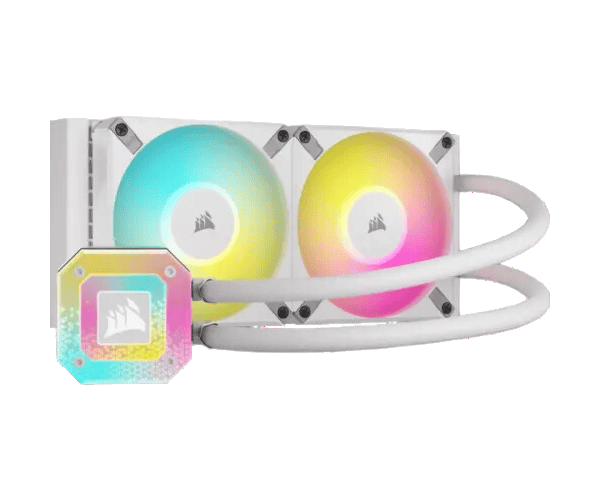
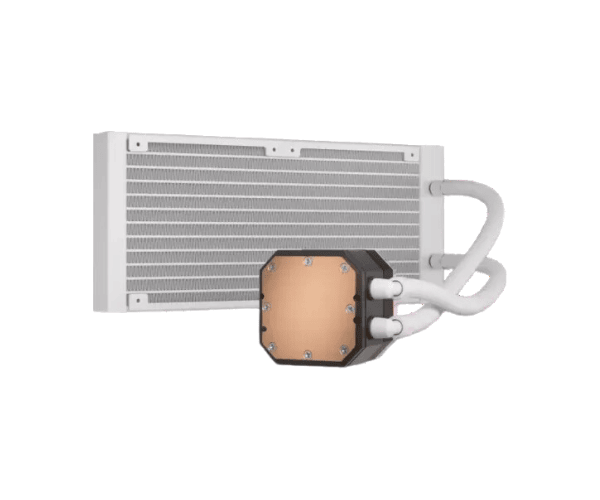
About this Corsair iCUE H100i ELITE CAPELLIX XT Liquid CPU Coolers White
The Corsair iCUE H100i ELITE CAPELLIX XT Liquid CPU Cooler White offers powerful cooling performance with stunning RGB lighting. Designed for advanced systems, it ensures optimal temperatures and efficient heat dissipation, making it perfect for demanding tasks like gaming or overclocking.
Specification
| Feature |
Details |
| Model |
iCUE H100i ELITE CAPELLIX XT |
| Cooler Type |
All-in-one Liquid Cooler |
| Fan Speed |
550 - 2100 RPM ±10% |
| Radiator Size |
240mm |
| Fan Airflow |
13.8 - 65.57 CFM |
| Fan Static Pressure |
0.17 - 2.68 mm-H2O |
| Fan Control Method |
PWM |
| Radiator Material |
Aluminum |
| Tubing Material |
Black Sleeved Low-Permeation Rubber |
| Tubing Length |
400mm |
| Compatibility (Intel) |
LGA 1150, LGA 1151, LGA 1156, LGA 1200, LGA 1700, LGA 2011, LGA 2066 |
| Compatibility (AMD) |
AM4, AM5, TR4, TRX4 |
Description
Corsair iCUE H100i ELITE CAPELLIX Liquid CPU Cooler White in BD
The Corsair iCUE H100i ELITE CAPELLIX XT Liquid CPU Cooler White is engineered for users who require extraordinary cooling while maintaining a certain look. It is equipped with a 240mm radiator and customizable RGB lights, just a step away from optimal cooling performance and reliability in handling fluke, high-end gaming PCs, as well as workstations.
User Experience
That said, most people who have used the Corsair iCUE H100i ELITE XT Liquid CPU Cooler White rave above it all due to its performance and elegance. Many RGB lighting options would be on board to customize the much-themed setup. It keeps a mighty silence, even at his strongest load, when intense gaming sessions or long render times induce stress. Setting up is comfortable, with almost all the hardware necessary for mounting included. The pump and fans of the cooler together keep the CPU temp significantly lower while retaining caricature stability in temperature output. Besides that, the overall experience is also up with iCUE software because it gives users full command and control over lighting and performance settings.
Why Choose the Corsair iCUE H100i CAPELLIX XT Liquid CPU Cooler White?
Corsair iCUE H100i ELITE CAPELLIX XT Liquid CPU Cooler White is made for those requiring cooling efficiency without sacrificing beauty. The 240mm radiator provides cooling; the dual 120mm fans work silently under load during jittery gaming. Custom RGB enables the installation of different colors in your PC setup through iCUE software, making it truly personalized by using software to alter virtually anything in its RGB lighting. The H100i ELITE CPU Cooler White by Corsair guarantees you cool, quiet performance when assembling a rig or high-performance workstation demanding power.
Installation Step
- Prepare your system: Make sure to shut down the PC and unplug all cables before getting started.
- Attach radiator: Use the screws provided to attach a 240mm radiator from the Corsair iCUE H100i CPU Cooler White to your case. Mount the fans: Install the two 120mm fans onto the radiator and ensure that both fans are oriented properly for correct airflow.
- Apply thermal paste: Place a small bead of thermal paste to the center of your CPU for ideal heat transfer. Attach the pump: Secure the pump unit over your CPU socket, ensuring it is correctly aligned to fit the mounting brackets.
- Connect cables: Connect the fan cables to motherboard headers and attach the pump cable to the CPU fan header.
- Power on PC: Now, with everything checked and confirmed connected correctly, switch on your system and test it with the cooling system.
- Configure RGB Lighting: Using the iCUE software, customize the RGB lighting and adjust the performance settings as you prefer.
What is the Price of the Corsair iCUE H100i ELITE CAPELLIX XT Liquid CPU Cooler White in Bangladesh?
The latest price of
Corsair iCUE H100i ELITE CAPELLIX XT Liquid CPU Cooler White in Bangladesh depends on quantity.
Crystal Vision Solutions ensure This product has the best market price in Bangladesh. Our product is 100% original and lowest price in Bangladesh. All kinds of services are the best in Bangladesh, and contact us for any information and latest price.