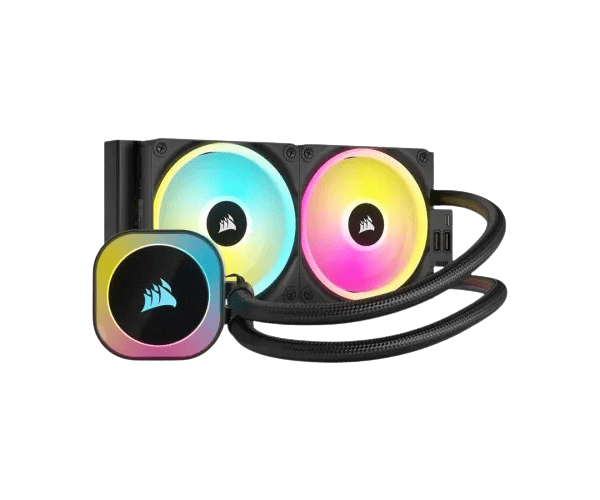
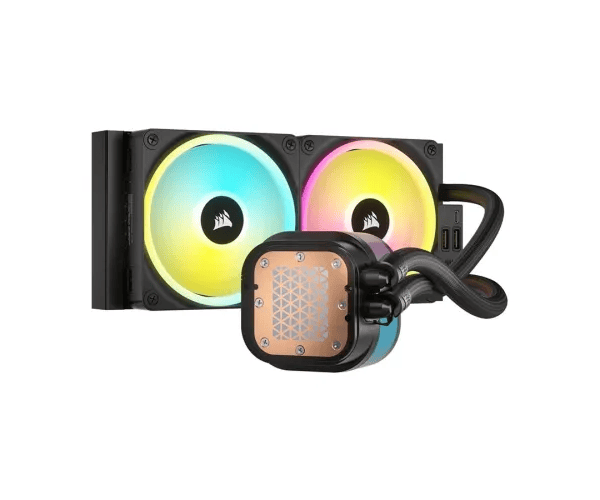
About this Corsair iCUE Link Titan 360 RX RGB AIO Black CPU Cooler
The Corsair iCUE Link Titan 360 RX RGB AIO Black Liquid CPU Cooler delivers exceptional cooling performance with stunning RGB lighting. It is designed to fit most modern PCs, ensuring efficient thermal management, quiet operation, and a visually striking setup.
Specification
| Feature |
Details |
| Model |
iCUE Link Titan 360 RX RGB |
| Radiator Size |
360mm |
| Fan Size |
120mm (x3) |
| Pump Type |
Dual Pump |
| RGB Lighting |
iCUE software control |
| Compatibility |
Intel 1200, 115X, 1366, 2011; AMD AM4, TR4, sTRX4 |
| Noise Level |
25 dBA max |
| Fan Speed |
2000 RPM |
| Airflow |
100 CFM |
| Radiator Material |
Aluminum |
| Tubing Length |
400mm |
| CPU Socket Support |
Intel & AMD |
Description
Corsair iCUE Link Titan 360 RX RGB AIO Black Liquid CPU Cooler in BD
The Corsair iCUE Link Titan 360 RX RGB CPU cooler is a completely liquid-cooled unit for CPU cooling, producing high-capacity silent cooling for your CPU and improving the visual performance of your PC with RGB lighting. Featuring a 360mm radiator, three high-performance fans, and dual pump cooling systems, Titan 360 RX ensures your processor stays cool even under heavy load.
User Experience
Users Corsair iCUE Link Titan 360 RX CPU Cooler will enjoy the experience of using this cooling unit as part of their systems for performance and aesthetics. First off, installation is incredibly easy, thanks to straightforward instructions and a mounting system that adapts to many CPU sockets. Once mounted, it is cool under even the most demanding tasks like gaming or video editing. It adds a colorful touch to dressing, very easy to customize via the iCUE software, while surprisingly quiet fans make this the option of choice for anyone looking for raw power while suppressing the noise.
Why Choose the Corsair iCUE Link Titan 360 RX RGB Black Liquid CPU Cooler?
The Corsair iCUE Link Titan 360 RX RGB AIO Black Liquid CPU Cooler is a perfect example of a new technique fused with the finesse of design. Within the confines of this AIO are a powerful 360mm radiator and three fans working together to produce great results thermally. The programmable RGB lighting will bring beautiful garland to your PC's entire aesthetic. The dual-pump system will ensure that the cooling performance does not falter even for intense activities. The iCUE software easily sheds light on monitoring and modulating fan speeds along with different RGB settings while making the headway towards making it a one-stop shop for custom-built and home-built gaming rigs or performance workstations. It's the best choice for a well-balanced cool setup and a press-on-the-gas rack with a sharp design.
Installation Steps
- Prepare the items: Open the Corsair iCUE Link Titan 360 RX CPU Cooler packaging and inspect the parts. There should be a radiator, fans, pump, mounting brackets, and screws.
- Attach the radiator: For your airflow preference, install the radiator on top or in the front of your PC case. Fix it with the screws provided.
- Install the fans: Fix the 120mm fans on the radiator with the screws provided. Ensure airflow is accurate according to your case.
- Thermal paste application: Clean the CB surface and heat paste thinly.
- Attach the pump: Secure the pump unit to the CPU socket using the mounting bracket that matches your CPU type (Intel or AMD).
- Connect the cables: Connect the cables of the fans to the headers of the motherboard and the cable of the pump to the header of the CPU.
- Connect RGB: Join the RGB cables to the RGB headers on your motherboard or use the iCUE controller.
- Power on the system: Switch on the PC and configure cooler settings, fan speeds, and RGB with the iCUE software.
What is the Price of the Corsair iCUE Link Titan 360 RX RGB Black Liquid CPU Cooler in Bangladesh?
The latest price of
Corsair iCUE Link Titan 360 RX RGB AIO Black Liquid CPU Cooler in Bangladesh depends on quantity.
Crystal Vision Solutions ensure This product has the best market price in Bangladesh. Our product is 100% original and lowest price in Bangladesh. All kinds of services are the best in Bangladesh, and contact us for any information and latest price.