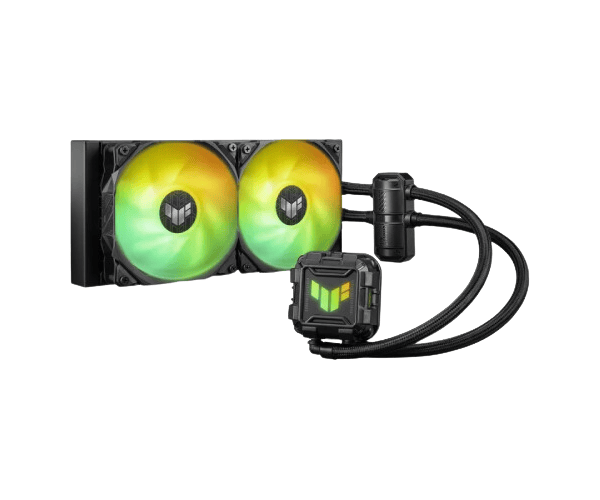
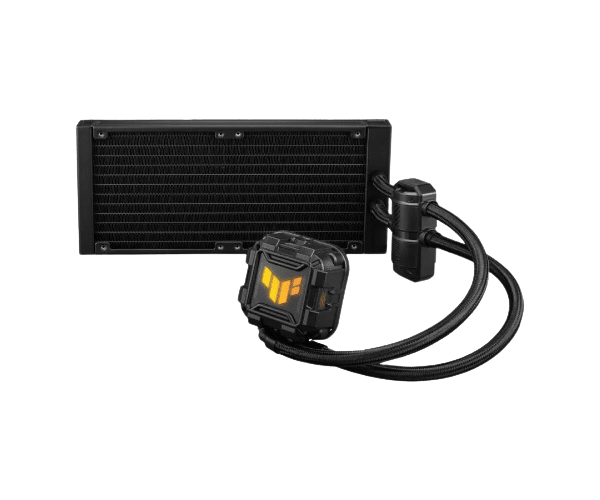
About of Asus TUF GAMING LC II 240 ARGB AIO CPU Cooler
The Asus TUF GAMING LC II 240 ARGB AIO Liquid CPU Cooler delivers powerful cooling performance with customizable RGB lighting. Designed for gamers and PC enthusiasts, it enhances system performance while offering a sleek, modern aesthetic.
Specification
| Feature |
Details |
| Model |
TUF GAMING LC II 240 ARGB |
| Type |
All-in-One Liquid CPU Cooler |
| Fans |
2 x TUF GAMING FAN MODEL 12 ARGB |
| Fan Speed |
800 - 2000 RPM ± 10% |
| Air Flow |
67 CFM / 113.8 m³/h |
| Noise Level |
29 dB(A) |
| Air Pressure |
3.0 mmH₂O |
| Connector |
PWM/DC |
| Material |
Block (CPU Plate): Copper |
| Radiator |
Aluminum |
| Tube |
Sleeved Rubber |
| RGB Support |
AURA Sync |
| Dimensions |
Water Block: 73 x 73 x 45 mm |
| Radiator |
277 x 120 x 27 mm |
| Fan |
120 x 120 x 25 mm |
| Supported Sockets |
Intel: LGA 1700, 1200, 115x |
| AMD |
AM5, AM4 |
Description
Asus TUF GAMING LC II 240 ARGB AIO CPU Cooler in BD
The Asus TUF GAMING LC II 240 ARGB Liquid CPU Cooler has a superior cooling system with a 240mm radiator at dreadnought and a pair of high-performance 120mm fans that generate maximum performance quality. The cooling system was engineered for Intel and AMD so your gaming rig bears the beauty of matching with every lighting scheme and does not fail to work according to your fine taste.
User Experience:
With the Asus TUF GAMING LC II 240 ARGB Liquid CPU Cooler, one will find out that it puts in place core thermal management as expected. It would correct any attempt of the CPU to run at absurd temperatures when pushed hard during gaming or other processor-excessive work being done by a user. The fans are so positive and very awesome with the RGB lighting effects, making everything electrifying and appealing to the overall PC aesthetics. It was easy to install and surprisingly rather quiet for all this power. It would fit pretty well in most mid-tower cases, and the design would allow for adequate airflow into the case without taking up any unnecessary space. Users appreciate how quietly yet efficiently it operates to keep their systems cool under heavy use. It is certainly one of the best investments for gamers who want great performance along with visual appeal.
Why Choose the Asus TUF GAMING LC II 240 Liquid CPU Cooler?
The Asus TUF GAMING LC II 240 ARGB AIO Liquid CPU Cooler has become the go-to cold air cooling machine for all those fans out there wanting to upgrade their cooling room without the size of the performance drop term. The hype about this cooler comes in handy at long runway rides: it's that great on high-end CPUs and at overclocking, making it a must-have in the arsenal of every gamer and content creator. The ARGB lighting customization makes sure that the rig is functional and at the same time, eye-catching. Coupled with ease of installation, consistency in performance, and rugged build quality, the Asus TUF GAMING LC II 240 CPU Cooler will guarantee every system runs fine under the big load at its greatest capacity.
Install Steps:
- Prepare Case: Check whether your case has enough room for a 240mm radiator.
- In the case of installing the fans: Connect the two 120mm ARGB fans to the radiator to match the configuration of airflow coming from your case.
- Mount the Radiator: Mount your radiator to either the top or the front of the case, according to your airflow preference.
- Apply thermal paste: Gently apply a very thin layer of thermal paste to the center of your CPU.
- Mount the CPU Block: Screw the CPU block to the CPU socket and hold it with the mounting brackets supplied.
- Connect the Cables: Connect the pump power and the RGB cables to the motherboard and power supply respectively.
- Power Up and Test: Power on your system and monitor temperatures to ensure everything is functioning correctly.
What is the Price of the Asus TUF GAMING LC II 240 ARGB AIO Liquid CPU Cooler in Bangladesh?
The latest price of
Asus TUF GAMING LC II 240 ARGB AIO Liquid CPU Cooler in Bangladesh depends on quantity.
Crystal Vision Solutions ensure This product has the best market price in Bangladesh. Our product is 100% original and lowest price in Bangladesh. All kinds of services are the best in Bangladesh, and contact us for any information and latest price.