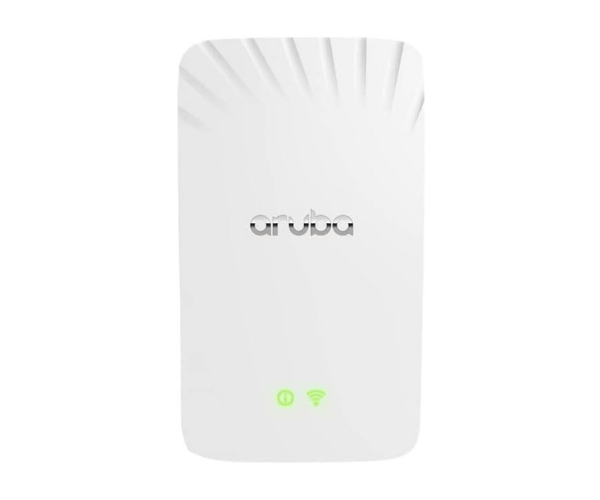
Buy the Aruba AP-505H Dual Band Wireless Access Point at the Best Price in Bangladesh
The
Aruba AP-505H Dual Band Wireless Access Point offers top-notch wireless connectivity for both businesses and homes. Designed to provide a seamless and secure network, this access point ensures fast speeds, reliability, and easy management. If you’re looking to upgrade your wireless network, the Aruba AP-505H is an excellent choice.
Key Features of Aruba AP-505H
- Dual-band support: Operates on both 2.4 GHz and 5 GHz, providing high-speed internet and improved network capacity.
- Enterprise-grade security: Advanced security protocols protect your data and network.
- Compact design: Fits easily into any environment with its sleek, space-saving design.
- Easy installation: Comes with an intuitive setup process, perfect for IT teams and individuals alike.
- Advanced management tools: Offers a variety of management options, making it easier to control and monitor your network.
Detailed Breakdown of Features
Dual-Band Wireless Technology
The Aruba AP-505H operates on both 2.4 GHz and 5 GHz frequency bands, giving users the flexibility to choose the best frequency based on their environment. This feature helps minimize interference and optimize the performance of connected devices, ensuring smooth and fast internet access.
High Security
Security is a key feature of the Aruba AP-505H. It uses WPA3, the latest wireless security protocol, to keep unauthorized users out of your network. Additionally, built-in encryption protects sensitive data as it moves across the network.
Compact and Versatile Design
Measuring only 6.75 x 4.5 x 2.25 inches and weighing just 1 pound, the Aruba AP-505H is compact enough to fit discreetly in any space. It is designed for flexible mounting, meaning it can be installed on walls or ceilings depending on your setup needs.
Seamless Management
With cloud-based and on-premises management options, users can monitor and control their networks remotely. The Aruba AP-505H also supports Aruba’s network management software, making it simple to configure and manage settings across multiple devices.
User Experience
The Aruba AP-505H delivers a great user experience. It offers strong, consistent signal strength across large areas, making it ideal for both small offices and large homes. Users have reported smoother connections, even when multiple devices are in use simultaneously. The setup is also very straightforward, requiring minimal time and technical knowledge, which is perfect for both IT professionals and everyday users.
Why Choose the Aruba AP-505H Dual Band Wireless Access Point?
The Aruba AP-505H stands out due to its advanced technology, high level of security, and ease of use. Whether you’re looking for a reliable solution for a business or home network, this product is built to handle high data loads without compromising on speed. With its dual-band capabilities and seamless management, it’s perfect for users who want a top-tier networking experience.
Installation Steps for Aruba AP-505H Dual Band Wireless Access Point
- Unbox the Aruba AP-505H and gather the necessary tools for installation.
- Mount the device on a wall or ceiling using the provided brackets or screws.
- Connect the device to your network switch or router using an Ethernet cable.
- Power on the Aruba AP-505H.
- Download the Aruba network management app or access the web interface.
- Follow the setup wizard to configure your device and network settings.
- Test the network to ensure strong, reliable connectivity.
Uses of the Aruba AP-505H Dual Band Wireless Access Point
The Aruba AP-505H is ideal for a wide range of environments:
- Offices: Provides stable, fast connectivity for employees and guests.
- Homes: Enhances wireless coverage in multi-story homes or large spaces.
- Educational Institutions: Supports high-density networks with many connected devices.
- Retail Stores: Ensures smooth point-of-sale transactions and customer browsing.
FAQs:
1. Does the Aruba AP-505H support Power over Ethernet (PoE)?
Yes, the Aruba AP-505H supports PoE, simplifying the installation process by eliminating the need for a separate power source.
2. Can I manage the Aruba AP-505H remotely?
Yes, you can manage the Aruba AP-505H remotely using Aruba’s network management software.
3. Is the Aruba AP-505H suitable for outdoor use?
No, this model is designed for indoor use only.
4. How many devices can connect to the Aruba AP-505H simultaneously?
The Aruba AP-505H can support up to 100 devices, making it ideal for both small and large environments.
5. Does it come with a warranty?
Yes, the Aruba AP-505H typically comes with a one-year warranty, but check with your retailer for specific details.