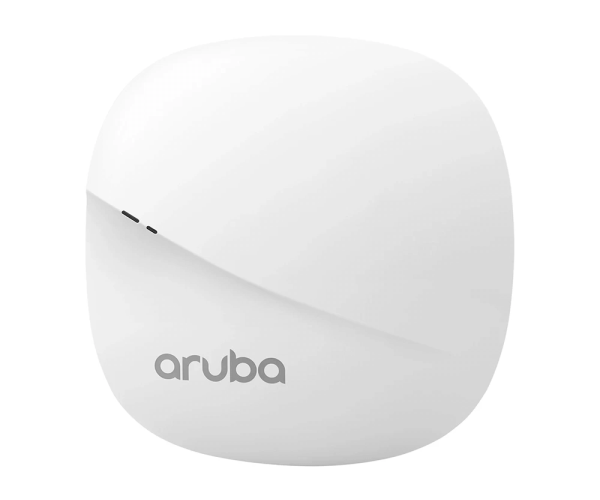
Introduction of Aruba AP-303 JZ320A dual-band 802.11ac Wave 2 access point
The
Aruba AP-303 JZ320A dual-band 802.11ac Wave 2 access point is a high-performance, cost-effective solution designed to deliver robust wireless connectivity. Whether used in small offices, educational institutions, or retail spaces, this access point ensures efficient data transmission and seamless connectivity. Powered by Wave 2 technology, it offers faster speeds, better bandwidth management, and optimal user experience in high-density environments.
Why Choose Aruba AP-303 JZ320A dual-band 802.11ac Wave 2 access point?
The
Aruba AP-303 JZ320A access point provides exceptional wireless performance, making it a standout option for businesses seeking reliable connectivity. Its Wave 2 capabilities ensure efficient use of bandwidth, allowing multiple devices to connect without compromising speed. Aruba AP-303 JZ320A is ideal for environments with high user density, such as schools, offices, and conference rooms. Its sleek design, combined with easy installation, makes it a convenient addition to any space.
Choosing the
Aruba AP-303 JZ320A access point means investing in a future-ready solution that supports higher device capacity and ensures top-notch wireless coverage.
User Experience
The
Aruba AP-303 JZ320A access point provides an enhanced user experience, with users reporting stable connections, seamless streaming, and high-speed downloads. The dual-band support allows devices to connect to the best available frequency, ensuring maximum performance. Users appreciate the access point's ability to handle multiple connections simultaneously without signal drops.
Detailed Breakdown of Features
- Dual-Band Support: Operates on both 2.4 GHz and 5 GHz frequency bands, offering flexibility in connection.
- Wave 2 Technology: Improves efficiency by supporting multiple simultaneous device connections.
- Integrated Antenna: Built-in dual-band antenna ensures optimal signal strength and coverage.
- PoE Support: Simplifies the installation process by delivering both data and power through a single Ethernet cable.
- Compact Design: Its compact and lightweight design makes it easy to install in any location.
- Advanced Security: Incorporates strong security measures to safeguard networks from unauthorized intrusions.
Installation Steps
- Prepare Your Workspace: Set up a clean, well-lit workspace with necessary tools, such as a screwdriver and Ethernet cable.
- Connect the Access Point: Mount the Aruba AP-303 JZ320A using screws or mounting brackets. Ensure it's securely attached to the wall or ceiling.
- Power the Device: Connect one end of the Ethernet cable to the access point and the other to the PoE switch or injector.
- Configure Settings: Access the device’s web interface to set up network parameters, including SSID and security protocols.
- Test the Connection: Verify the device is powered on and operational by checking for stable signal and successful network access.
Where It Can Be Used?
The
Aruba AP-303 JZ320A dual-band access point is suitable for various indoor environments, including:
- Small to medium-sized offices
- Schools and educational institutions
- Retail stores
- Conference rooms
- Hotels and guest services areas
- Healthcare facilities
What is the Price of Aruba AP-303 JZ320A dual-band 802.11ac Wave 2 access point in Bangladesh?
Crystal Vision Solutions focuses on providing high-quality Aruba Access Point and components, such as the
Aruba AP-303 JZ320A dual-band 802.11ac access point, tailored to various needs across Bangladesh. We provide products designed to deliver exceptional performance and consistent reliability. We offer competitive pricing and provide professional service tailored to meet your business needs efficiently.