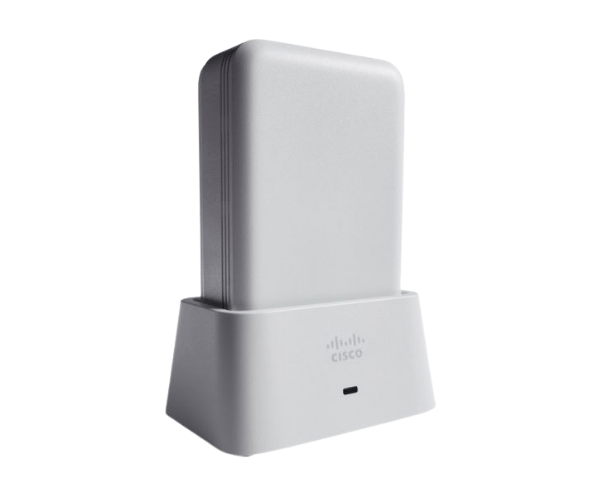
Introduction of AIR-OEAP1810-T-K9 Cisco Aironet 1810 OfficeExtend Access Point
The
AIR-OEAP1810-T-K9 Cisco Aironet 1810 OfficeExtend Access Point offers a robust solution for businesses looking to extend their network capabilities. This access point is designed specifically for small to medium-sized enterprises, providing a seamless and reliable wireless experience. With its advanced features, the AIR-OEAP1810-T-K9 ensures strong connectivity and enhanced productivity in various work environments.
Why Choose AIR-OEAP1810-T-K9 Cisco Aironet 1810 OfficeExtend Access Point?
The
AIR-OEAP1810-T-K9 Cisco 1810 Access Point stands out as an ideal choice for businesses aiming to enhance their wireless coverage. Its dual-band functionality ensures fast connections, while PoE simplifies installation by eliminating the need for separate power supplies. With seamless roaming capabilities, this access point allows users to move freely throughout the workspace without losing connection.
User Experience
Users report high satisfaction with the
AIR-OEAP1810-T-K9 due to its reliable performance and ease of use. Businesses appreciate the straightforward setup process, allowing for quick deployment in office spaces. The access point's strong signal strength ensures consistent connectivity, making it a preferred choice for remote workers and teams in larger environments.
Detailed Breakdown of Features
- Dual-band Connectivity: Offers simultaneous connections on both 2.4 GHz and 5 GHz bands for optimal performance.
- High Data Rates: Delivers data speeds up to 1.2 Gbps, accommodating bandwidth-intensive applications.
- Enhanced Security: Supports advanced security protocols to protect sensitive data and maintain network integrity.
- Power over Ethernet: Simplifies installation by using existing Ethernet cabling for power.
- Seamless Roaming: Allows users to move within the coverage area without interruption.
- Flexible Mounting Options: Can be mounted on walls or ceilings for versatile placement.
- Compact Design: Small footprint allows for discreet installation in any office environment.
- User-friendly Interface: Easy-to-navigate web interface for straightforward management and configuration.
- Quality of Service (QoS): Prioritizes bandwidth for critical applications, ensuring optimal performance.
- Expandable Network Solution: Effortlessly incorporate additional access points to increase your network coverage as your business expands.
Installation Steps
- Power Down the Equipment: Before beginning, make sure all devices are turned off.
- Select the Installation Location: Choose a suitable location for optimal wireless coverage.
- Mount the Access Point: Use the provided hardware to secure the access point to the wall or ceiling.
- Connect Ethernet Cable: Plug the Ethernet cable into the Gigabit Ethernet port for both power and network connectivity.
- Power On the Access Point: Turn on the access point and ensure all indicators light up as expected.
- Access the Configuration Interface: Connect to the access point using a computer or mobile device to configure the settings.
- Adjust Settings: Set up the wireless network name (SSID), password, and other security features.
- Test the Connection: Verify the connectivity and make adjustments as necessary for optimal performance.
Where It Can Be Used?
The
Cisco Aironet 1810 OfficeExtend Access Point is ideal for various environments, including:
- Office Spaces: Providing strong Wi-Fi coverage for employees and visitors.
- Remote Workspaces: Enhancing connectivity for remote employees working from home.
- Small Businesses: Ensuring reliable wireless connections in retail and service environments.
- Educational Institutions: Supporting wireless learning in classrooms and libraries.
- Healthcare Facilities: Offering secure and dependable connections for medical devices and staff communication.