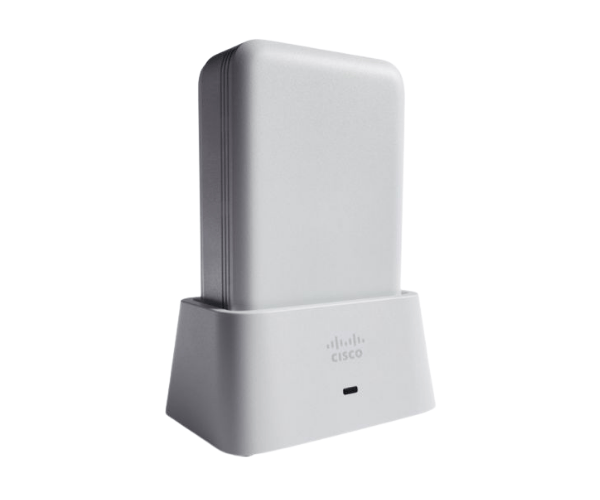
Introduction of AIR-OEAP1810-N-K9 Cisco Aironet 1810 OfficeExtend Access Point
The
AIR-OEAP1810-N-K9 Cisco Aironet 1810 OfficeExtend Access Point is designed to meet the demands of modern workplaces. This access point combines robust performance with flexibility, providing reliable wireless connectivity for small to medium-sized businesses. It supports high-density environments, ensuring that employees can connect seamlessly to the network without interruptions. With its advanced features and ease of installation, the AIR-OEAP1810-N-K9 is the ideal solution for enhancing office productivity.
Why Choose AIR-OEAP1810-N-K9 Cisco Aironet 1810 OfficeExtend Access Point?
Selecting the
AIR-OEAP1810-N-K9 Cisco 1810 Access Point ensures that your business benefits from superior wireless performance. This access point's ability to handle multiple devices simultaneously allows for seamless connectivity, making it perfect for busy office environments. Its scalable nature means you can easily expand your network as your business grows, maintaining a high-quality user experience.
User Experience
Users have reported significant improvements in wireless connectivity and overall network performance after integrating the
AIR-OEAP1810-N-K9 into their office setup. The access point features a user-friendly management interface that simplifies the configuration of settings, performance monitoring, and user management. Furthermore, its design minimizes interference, ensuring a reliable connection even in high-density environments.
Detailed Breakdown of Features
- Dual-band Support: Operates on both 2.4 GHz and 5 GHz frequencies for versatile connectivity.
- High Data Rate: Delivers up to 1.2 Gbps, accommodating high-speed internet needs.
- Power over Ethernet (PoE): Simplifies installation by powering the device through the Ethernet cable.
- Advanced Security: Supports WPA2 and WPA3 protocols to protect your network.
- Flexible Mounting Options: Can be installed on walls or ceilings for optimal coverage.
- Scalability: Easily integrate additional access points to enhance network coverage.
- Management Interface: User-friendly web-based interface for easy configuration and monitoring.
- Compatibility: Works seamlessly with various Cisco devices for a unified network experience.
- Compact Design: Small and unobtrusive, fitting well into any office decor.
- High-Density Performance: Effectively manages multiple connections without loss of speed.
Installation Steps
- Choose Location: Select an ideal location for the access point to maximize coverage.
- Power Supply: Use Power over Ethernet (PoE) to simplify installation.
- Connect to Network: Plug the Ethernet cable into the access point and connect it to the network switch.
- Mount the Access Point: Securely mount the access point on the wall or ceiling.
- Configure Settings: Access the management interface through a web browser to set up the device.
- Test Connectivity: Check the wireless connection to ensure optimal performance.
- Monitor Performance: Regularly monitor the access point's performance through the management interface.
Where It Can Be Used?
The
Cisco Aironet 1810 OfficeExtend Access Point is perfect for various environments, including:
- Corporate Offices: Improve employee productivity by ensuring consistent internet access.
- Educational Institutions: Offer uninterrupted connectivity for both students and faculty members.
- Retail Spaces: Improve customer experiences with fast and stable Wi-Fi.
- Healthcare Facilities: Support patient care with dependable wireless access.
- Home Offices: Create a professional environment with robust wireless connectivity.