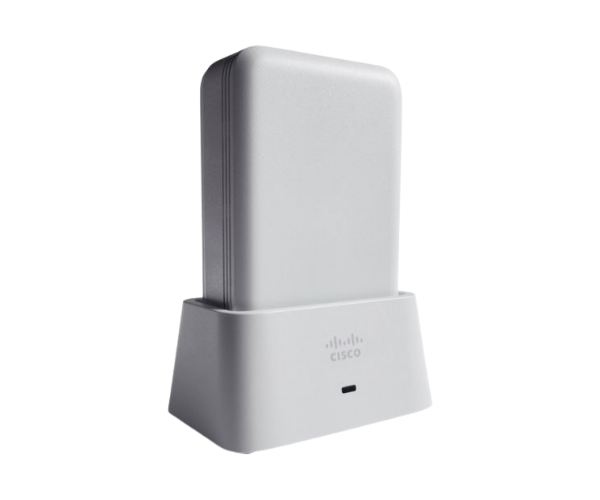
Overview of AIR-OEAP1810-K-K9 Cisco Aironet 1810 OfficeExtend Access Point
The
AIR-OEAP1810-K-K9 Cisco Aironet 1810 OfficeExtend Access Point is designed to enhance wireless connectivity in diverse environments. As a key component in the Cisco portfolio, this access point brings reliable and robust performance, making it ideal for businesses and educational institutions alike. With its advanced features and ease of use, the Cisco Aironet 1810 meets the increasing demands for high-quality wireless connections in today's fast-paced world.
Why Opt the AIR-OEAP1810-K-K9 Cisco Aironet 1810 OfficeExtend Access Point?
Selecting the
AIR-OEAP1810-K-K9 Cisco 1810 Access Point means investing in a solution designed to deliver exceptional wireless performance. This access point supports multiple devices simultaneously, making it perfect for environments where users demand reliable connectivity. Moreover, it integrates seamlessly with existing Cisco networks, allowing for easy scalability as your business grows.
User Experience
Users of the
AIR-OEAP1810-K-K9 Cisco Aironet 1810 have reported improved connectivity and user satisfaction in both office and educational settings. Its ability to manage numerous devices while maintaining speed and reliability contributes to a smoother overall experience. Additionally, the intuitive management interface simplifies network management, empowering administrators to monitor performance and manage user access effectively.
Detailed Breakdown of Features
- Dual-Band Support: Operates on both 2.4 GHz and 5 GHz frequencies, providing flexibility and reducing congestion.
- High Data Rates: Achieves data rates up to 1.3 Gbps for rapid file transfers and smooth streaming.
- Power over Ethernet: Simplifies installation by using a single cable for power and data.
- Robust Security: Supports advanced security protocols to keep your network safe.
- Integrated Antennas: Provides a stable connection without the need for external antennas.
- User-Friendly Management: The web-based interface allows for easy configuration and monitoring.
- Seamless Integration: Works well with existing Cisco networks for expanded capabilities.
- Flexible Deployment: Can be used in various settings, from small offices to large enterprises.
- Compact Design: Fits well in any environment without taking up too much space.
- Scalability: Easily add more access points as your business needs grow.
Installation Steps
- Unpack the Access Point: Gently take the AIR-OEAP1810-K-K9 out of its packaging.
- Choose a Location: Select a location that provides optimal coverage without obstructions.
- Connect to Power: Use a Power over Ethernet (PoE) switch to connect the access point.
- Ethernet Connection: Plug an Ethernet cable from the access point to your network switch for data connectivity.
- Configure Settings: Access the web-based management interface to configure your network settings.
- Test Connectivity: After setup, ensure that devices can connect and access the internet.
- Secure the Mounting: If needed, securely mount the access point to the wall or ceiling.
Where It Can Be Used?
The
Cisco Aironet 1810 OfficeExtend Access Point is suitable for various environments, including:
- Corporate Offices: Enhance team collaboration with reliable wireless access.
- Educational Institutions: Provide consistent connectivity for students and staff.
- Retail Stores: Support customer engagement through Wi-Fi services.
- Healthcare Institutions: Enable smooth communication among medical devices and personnel.
- Event Spaces: Ensure robust internet connectivity during conferences and gatherings.