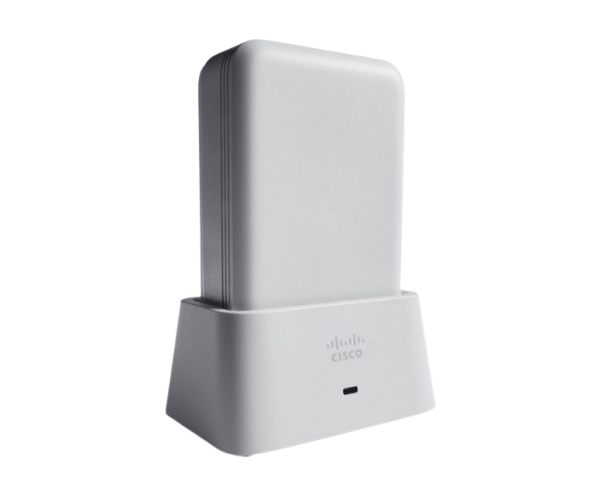
Introduction of AIR-OEAP1810-S-K9 Cisco Aironet 1810 OfficeExtend Access Point
The
AIR-OEAP1810-S-K9 Cisco Aironet 1810 OfficeExtend Access Point is a state-of-the-art networking device designed to enhance the wireless connectivity experience for modern workplaces. This access point provides a robust solution for businesses looking to extend their network efficiently and reliably. Its advanced features ensure seamless integration into existing networks while delivering high performance for users across various environments. Whether you're managing a small office or a large enterprise, the
AIR-OEAP1810-S-K9 provides the flexibility and scalability to meet your needs.
Why Choose the AIR-OEAP1810-S-K9 Cisco Aironet 1810 OfficeExtend Access Point?
Opting for the
AIR-OEAP1810-S-K9 Cisco 1810 Access Point means choosing a product specifically engineered for optimal performance and versatility. This access point is ideal for remote work environments, providing a stable connection while ensuring security and ease of management. With its PoE capability, installation becomes a breeze, eliminating the need for additional power sources.
User Experience
Users consistently report high satisfaction levels with the
AIR-OEAP1810-S-K9. Its easy setup process, combined with reliable performance, makes it a favorite among IT administrators. The device effectively supports multiple users without compromising speed or connectivity. This ensures that employees can work efficiently, whether in the office or remotely.
Detailed Breakdown of Features
- Advanced Security Protocols: Protects your network with the latest security features.
- Seamless Integration: Easily integrates with existing Cisco networking equipment.
- Multiple SSIDs: Supports multiple networks for guest access or different departments.
- Easy Management: Web-based interface simplifies configuration and monitoring.
- Quality of Service (QoS): Prioritizes critical applications for improved performance.
- Robust Performance: Handles high data loads and numerous simultaneous connections.
- Firmware Enhancements: Frequent updates ensure the device remains secure and current.
- Scalability: Effortlessly expand your network by adding more access points.
- Versatile Mounting Options: Supports ceiling or wall mounting for flexible installation.
- User-Friendly Design: Intuitive interface makes management accessible to all users.
Installation Steps
- Gather Tools: Collect necessary tools such as a screwdriver and network cables.
- Choose Location: Select a central location for optimal coverage.
- Mount the Access Point: Use the included mounting hardware to secure the device.
- Connect the Ethernet Cable: Insert the Ethernet cable into both the device and the network switch.
- Power the Device: If using PoE, ensure the switch provides power; otherwise, connect to a power outlet.
- Configure Settings: Access the web interface to configure SSIDs, security settings, and other preferences.
- Test Connectivity: Verify that devices can connect to the network and test for speed and reliability.
Where It Can Be Used?
The
Cisco Aironet 1810 OfficeExtend Access Point is adaptable for multiple settings, including:
- Corporate Offices: Enhances connectivity for employees and guests.
- Remote Work Locations: Provides a reliable internet connection for remote workers.
- Educational Institutions: Supports learning environments with high bandwidth needs.
- Retail Spaces: Offers seamless connectivity for both staff and customers.
- Healthcare Facilities: Ensures secure and stable connections for medical devices and staff communication.