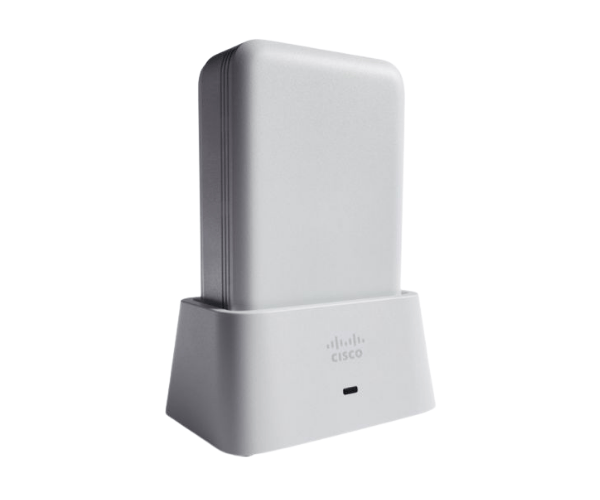
Introduction of AIR-OEAP1810-G-K9 Cisco Aironet 1810 OfficeExtend Access Point
The
AIR-OEAP1810-G-K9 Cisco Aironet 1810 OfficeExtend Access Point is designed to provide seamless wireless connectivity for various business environments. This access point offers advanced features that enhance network performance, security, and flexibility. With its reliable performance, the
AIR-OEAP1810-G-K9 is an excellent choice for organizations looking to improve their wireless networks.
Why Opt AIR-OEAP1810-G-K9 Cisco Aironet 1810 OfficeExtend Access Point?
Choosing the
AIR-OEAP1810-G-K9 Cisco 1810 Access Point means investing in a reliable and efficient wireless networking solution. This access point is tailored for both small and large businesses, providing the scalability and performance needed to support high-demand applications. With advanced security features and seamless connectivity, the
AIR-OEAP1810-G-K9 ensures your network remains robust and secure.
User Experience
Users have reported a significantly improved wireless experience with the
AIR-OEAP1810-G-K9. The access point is easy to set up and manage, making it accessible even for those without extensive IT knowledge. The dual-band support allows for a faster connection, enabling employees to work more efficiently. Moreover, the compact design ensures it fits well in any office environment.
Detailed Breakdown of Features
- Dual-Band Connectivity: Operates on both 2.4 GHz and 5 GHz frequencies for optimal performance.
- High Data Rates: Achieves maximum data rates of up to 1.3 Gbps, suitable for high-bandwidth applications.
- Power over Ethernet (PoE): Simplifies installation by delivering power and data through a single cable.
- Robust Security Protocols: Supports advanced security protocols like WPA2 and WPA3 to protect your network.
- User-Friendly Management: Intuitive management interface for easy configuration and monitoring.
- Scalability: Easily integrates with other Cisco devices, allowing your network to grow with your business.
- Compact Design: Lightweight and compact for easy installation in various environments.
- Versatile Operating Modes: Capable of operating independently as a single access point or integrating seamlessly into an extensive network.
- Reliable Performance: Designed for minimal interference, providing stable connections even in crowded areas.
- Versatile Use Cases: Suitable for corporate offices, educational institutions, healthcare facilities, and more.
Installation Steps
- Unbox the Access Point: Carefully remove the AIR-OEAP1810-G-K9 from its packaging.
- Secure the Access Point: Use the included hardware to mount the access point on the wall or ceiling.
- Connect Power: Use a PoE-enabled switch or injector to power the device.
- Connect Ethernet Cable: Plug the Ethernet cable into the access point and your network switch.
- Power On the Device: Ensure the access point is powered on and the status LED indicates proper operation.
- Adjust Network Settings: Utilize the user-friendly management interface to set up your network configurations.
- Test Connectivity: Connect devices to the network to ensure everything is functioning correctly.
Where It Can Be Used?
The
Cisco Aironet 1810 OfficeExtend Access Point is versatile enough for various settings, including:
- Corporate Offices: Provides reliable internet access for employees, enhancing productivity.
- Educational Institutions: Offers seamless connectivity for students and faculty, supporting modern learning environments.
- Healthcare Facilities: Facilitates communication between medical devices and staff, ensuring patient safety.
- Retail Spaces: Enhances customer experience with reliable Wi-Fi for in-store services.