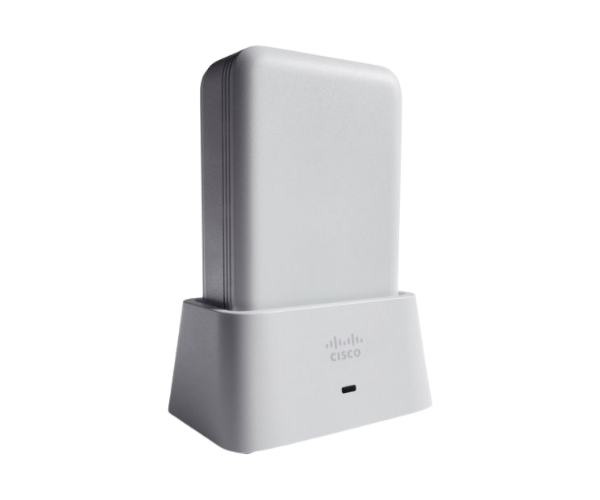
Overview of AIR-OEAP1810-D-K9 Cisco Aironet 1810 OfficeExtend Access Point
The
AIR-OEAP1810-D-K9 Cisco Aironet 1810 OfficeExtend Access Point provides seamless and secure wireless access, designed for remote workers or small businesses. Offering enterprise-class features, this device ensures reliable connectivity, improved productivity, and robust security features in a compact design. The access point extends secure corporate Wi-Fi to remote locations, making it ideal for various environments that require stable, high-performance network access.
Why Choose the AIR-OEAP1810-D-K9 Cisco Aironet 1810 OfficeExtend Access Point?
The
AIR-OEAP1810-D-K9 Cisco 1810 Access Point is the perfect solution for businesses or remote workers seeking to extend secure enterprise-grade wireless networks to home offices or small branches. Its dual-band capability ensures optimal performance, reducing interference and providing seamless connectivity. Additionally, the device is easy to install and manage, making it a hassle-free option for IT departments.
User Experience
Users of the
AIR-OEAP1810-D-K9 Cisco Aironet OfficeExtend Access Point enjoy a smooth and uninterrupted connection whether they are working from home or at a small branch. The device's high-speed capabilities, coupled with enterprise-grade security, offer an enhanced user experience, ensuring fast and secure access to corporate networks. With easy configuration and management, IT teams can deploy and monitor the device effortlessly.
Detailed Breakdown of Features
- Compact Design: Fits easily into any environment without taking up much space.
- Dual-Band Connectivity: Supports 2.4 GHz and 5 GHz frequencies, minimizing interference and optimizing performance.
- Enterprise-Grade Security: Offers WPA2 and WPA3 encryption and 802.1X authentication.
- Power over Ethernet (PoE): Simplifies installation by providing power and data over one cable.
- Internal Antennas: Enhances performance with optimized signal coverage.
- Intuitive Web-Based Management: Simplifies configuration and network monitoring.
- Seamless Roaming: Supports seamless transitions between access points.
- 3 Ethernet Ports: Provides flexible wired connectivity options.
- High Data Rates: Up to 867 Mbps for faster downloads and streaming.
- Guest Network Support: Allows secure, isolated access for guest users.
Installation Steps
- Unbox the Device: Carefully remove the AIR-OEAP1810-D-K9 from its packaging.
- Connect Ethernet Cable: Attach the Ethernet cable from your router to one of the device’s Ethernet ports.
- Mount the Device: Use the included mounting hardware to securely attach the access point to a wall or ceiling.
- Power the Device: If using Power over Ethernet (PoE), ensure your switch provides both power and data to the device.
- Configure Settings: Log into the web-based management interface to configure your network settings, security protocols, and user access.
- Test the Connection: Check for a stable Wi-Fi connection and adjust the settings as needed.
Where It Can Be Used?
The
Cisco Aironet 1810 OfficeExtend Access Point is versatile and can be deployed in various settings:
- Corporate Offices: Enhance productivity with reliable, secure internet access.
- Home Offices: Extend corporate Wi-Fi securely for remote workers.
- Small Branch Offices: Ensure seamless connectivity across multiple devices.
- Educational Institutions: Provide seamless access for students and faculty.
- Healthcare Facilities: Enable secure communication between medical devices and staff.