About the SmartX SX-CP92 Wi-Fi Fingerprint Glass Door Lock
The
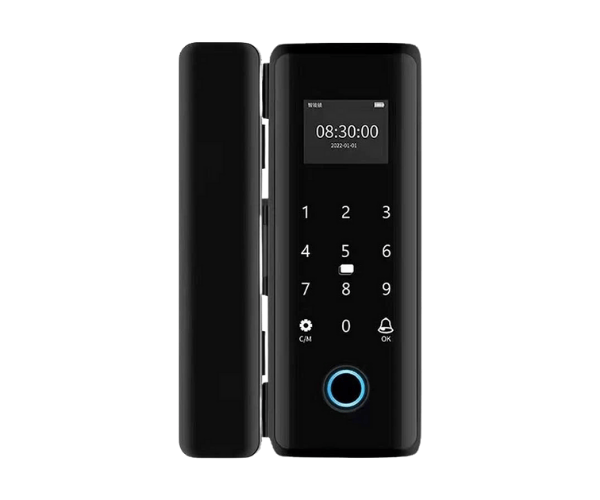
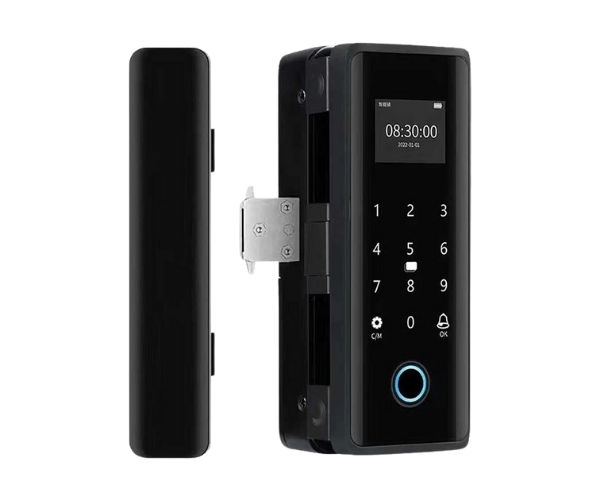
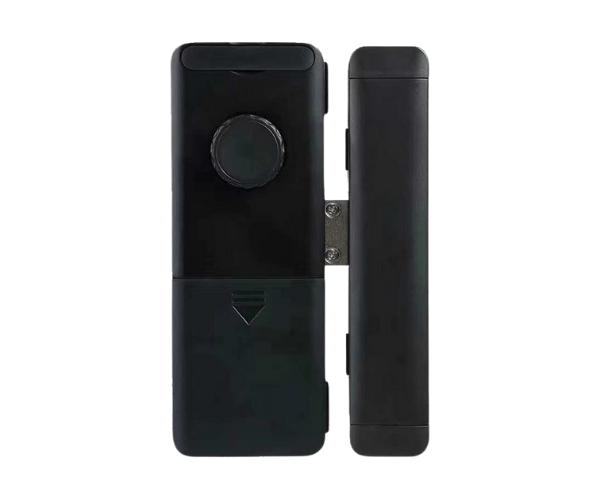
SmartX SX-CP92 Wi-Fi Fingerprint Glass Door Lock combines cutting-edge security with modern technology. This smart lock offers fingerprint recognition and Wi-Fi connectivity for remote access. Designed specifically for glass doors, it provides a secure, convenient, and stylish solution for homes, offices, and commercial properties.
Specification
| Feature |
Details |
| Brand |
SmartX |
| Model |
SX-CP92 |
| Verification Modes |
Fingerprint, Wi-Fi, App |
| Power Supply |
DC 12V |
| Battery |
Rechargeable Li-ion |
| Fingerprint Capacity |
100 Fingerprints |
| User Capacity |
200 Users |
| Material |
Zinc Alloy, Glass |
| Wi-Fi Connectivity |
Yes |
| Dimensions |
268mm x 73mm x 25mm |
| Temperature Range |
-20°C to 60°C |
| Lock Type |
Glass Door Lock |
Description
SmartX SX-CP92 Wi-Fi Fingerprint Glass Door Lock in Bangladesh
The
SmartX SX-CP92 Wi-Fi Fingerprint Glass Door Lock is available in Bangladesh. Offering secure access and convenient features like Wi-Fi connectivity, it is a perfect choice for anyone seeking modern, keyless entry solutions for glass doors. The lock is ideal for both residential and commercial use, providing unmatched security and flexibility.
User Experience of SmartX SX-CP92 Wi-Fi Fingerprint Glass Door Lock
Users of the
SmartX SX-CP92 Wi-Fi Fingerprint Glass Door Lock appreciate its smooth fingerprint recognition and remote access capabilities via Wi-Fi. The easy installation process makes it suitable for both tech-savvy and less experienced users. The responsive mobile app allows for quick setup and user management, and many users have highlighted the lock’s sleek design as a bonus. With a solid, secure feel and a reliable connection, the
SmartX SX-CP92 Wi-Fi Fingerprint Glass Door Lock stands out as an efficient, modern locking solution.
Why Choose the SmartX SX-CP92 Wi-Fi Fingerprint Glass Door Lock?
The
SmartX SX-CP92 Wi-Fi Fingerprint Glass Door Lock stands out for its combination of advanced features and ease of use. With Wi-Fi and fingerprint verification, it allows you to unlock your door remotely or with a quick scan. Its sleek and modern design ensures it fits seamlessly with glass doors, making it a stylish and functional choice for modern homes and businesses. The integration of Wi-Fi connectivity also allows for remote monitoring and management of access, offering unparalleled convenience and security.
Key Features
- Wi-Fi Connectivity: Unlock and manage the lock remotely through a mobile app via Wi-Fi.
- Fingerprint Authentication: High accuracy and speed in fingerprint recognition for secure access.
- Multiple User Capacity: Can store up to 200 fingerprints for added flexibility.
- Rechargeable Battery: Powered by a long-lasting rechargeable Li-ion battery.
- Durable Build: Made from high-quality zinc alloy and designed for glass doors.
- Wide Temperature Range: Operates efficiently in temperatures from -20°C to 60°C.
- App Control: Use the mobile app to control and manage access easily.
Installation Steps
- Prepare the Door: Ensure the glass door is clean and properly aligned for the lock installation.
- Mount the Lock: Attach the SmartX SX-CP92 Wi-Fi Fingerprint Glass Door Lock to the door frame as per the provided instructions.
- Connect the Power: Install the rechargeable Li-ion battery and ensure it’s properly connected.
- Set Up Wi-Fi: Connect the lock to your Wi-Fi network via the mobile app.
- Register Fingerprints: Add fingerprint data through the app or directly on the lock.
- Test the System: Test the lock using the fingerprint scanner and Wi-Fi connectivity to ensure proper function.
- Final Setup: Secure everything in place and ensure the lock is working as intended.
Where It Can Be Used?
The
SmartX SX-CP92 Wi-Fi Fingerprint Glass Door Lock is ideal for use in various locations, including:
- Residential Homes: Secure your main entrance, bedroom, or any area with keyless access.
- Office Buildings: Perfect for securing offices, meeting rooms, and restricted areas.
- Commercial Spaces: Ideal for retail stores, showrooms, and warehouses that require secure entry and easy access control.
- Hotels: Enhance the guest experience with modern, smart, keyless entry for rooms and facilities.
- Educational Institutions: Secure classrooms, staff rooms, and restricted areas.
What is the Price of SmartX SX-CP92 Wi-Fi Fingerprint Glass Door Lock in Bangladesh?
The latest price of
SmartX SX-CP92 Wi-Fi Fingerprint Glass Door Lock in Bangladesh depends on quantity.
Crystal Vision Solution ensure this product has the best market price in Bangladesh. Our product is 100% original and lowest price in Bangladesh. All kinds of services are the best in Bangladesh, and contact us for any information and latest price.