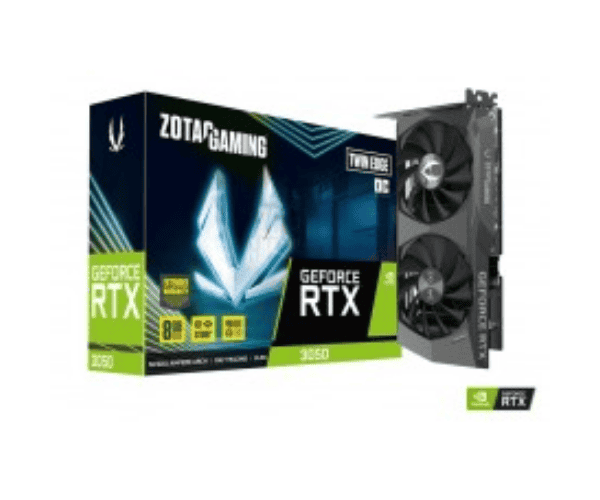
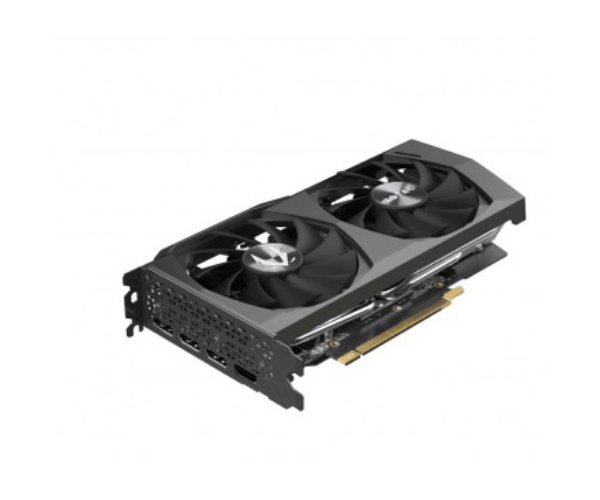
About the Zotac Gaming GeForce RTX 3050 Twin Edge OC 8GB GDDR6 Graphics Card
The Zotac Gaming GeForce RTX 3050 Twin Edge OC 8GB GDDR6 Graphics Card is the best choice for gamers and creators. So, it's something truly amazing based on NVIDIA's Ampere architecture, offering the best gaming experience in ray tracing and AI-based features, all kept cool through a dual-fan solution.
Specification
| Feature |
Details |
| Brand |
Zotac |
| Model |
GeForce RTX 3050 Twin Edge OC |
| GPU Architecture |
NVIDIA Ampere |
| Memory Capacity |
8GB GDDR6 |
| Memory Interface |
128-bit |
| Boost Clock |
1815 MHz (OC Mode) |
| CUDA Cores |
2048 |
| Ports |
1x HDMI 2.1, 3x DisplayPort 1.4a |
| Power Consumption |
130W TDP |
| Recommended PSU |
550W or higher |
| Cooling |
Dual Fans |
| Interface |
PCIe 4.0 |
| Ray Tracing |
Yes (2nd Gen) |
| DLSS Support |
Yes |
| Resolution Support |
4K, 1440p, 1080p |
Description
Zotac Gaming GeForce RTX 3050 Twin Edge OC 8GB GDDR6 Graphics Card in BD
The launch of Zotac Gaming GeForce RTX 3050 Twin Edge OC 8GB GDDR6 Graphics Card in Bangladesh makes it one of a few affordable powerful GPUs for the gamers and content creators in the country. This demand for high-end gaming and professional graphics work, which share a very reasonable price range, makes sure that the Zotac RTX is just the graphics card one will like to consider.
User Experience of Zotac Gaming GeForce 3050 Twin Edge OC 8GB GDDR6 Graphics Card
Users of the Zotac GeForce RTX 3050 Twin Edge OC 8GB GDDR6 Graphics Card had an overall very strong appreciation of its performance during triple-A gaming, with max settings at both 1080p and at times 1440p. Cooling the card silently, with the performance ready to take on most heavy loads, is a strong point with its dual fans. They enjoyed the smoothest gameplay, courtesy of the 8GB GDDR6 memory. Strength and efficiency are genuinely well-matched for serious gaming and content creation.
Why Select the Gaming RTX 3050 8GB Graphics Card?
Zotac Gaming RTX 3050 Twin Edge OC 8GB GDDR6 Graphics Card is a smorgasbord for gamers and creators, giving anything below value for money for high performance and power efficiency. While ray tracing is what provides immersion in the first place, this is further sustained by high boost clock speeds and DLSS for smooth gameplay at 1080p/1440p. Overall, this is an excellent choice for someone that wants the next-gen gaming experience without costing an arm and a leg that goes into thermal management and power-saving features. All these properties together create a wise investment for gaming and creative designing.
Key Features
- NVIDIA Ampere Architecture: Putting down unyielding performance in real-time ray tracing and AI-boosted rendering to present an ultra-smooth experience.
- 8GB GDDR6 Memory: More than enough bandwidth to handle high-end gaming along with heavy-duty applications.
- Dual-Fan Cooling: Keeps quiet and lays on the saddle keeping cool, keeping up with performance during hefty workloads.
- Ray Tracing & DLSS Support: Realistic lighting effects combined with AI-enhanced performance ensure smooth visuals at high frame rates.
- Boost Clock: Quite a heavy 1815MHz in OC mode, quite an impressive boon for performance.
- Power Efficient: 130W TDP means it won't consume too much power while still being able to deliver impressive performance.
- PCIe 4.0 Interface: Provides faster access data rate for better support in gaming and content creation.
- 4K Ready: Capable of 4K gaming and heavy graphics work without breaking a sweat.
Installation Steps
- Power Off Your PC: Shut down the system and unplug it from the wall socket.
- Open The PC Case: Remove the side cover for inside the most reachable way to get the components of the machine.
- Locate the PCIe Slot: Locate the PCIe x16 slot on your motherboard and unfasten the metal cover.
- Install The Card: Plug the Gaming GeForce RTX Twin Edge OC 8GB GDDR6 Graphics Card into the PCIe x16 slot until a click sound is heard; it is firmly seated.
- Power Cable Connection: Attach the suitable power leads from the PSU to the graphics card if needed.
- Close The Case: Reattach the side panel of the case and secure.
- Driver Installation: Switch on the PC, visit the official or NVIDIA website for downloading the latest driver, and install it.
- Card Testing: Restart the system, fire any game or benchmarking tool you favour, and confirm that Gaming GeForce RTX 3050 Twin Edge OC 8GB GDDR6 Graphics Card is well and running.
Where Can Be Use?
Zotac Gaming GeForce RTX 3050 Edge OC 8GB GDDR6 Graphics Card can be applicable in-
- Gaming: The ideal platform for gaming at 1080p and 1440p high framerates for modern AAA titles.
- Content Creation: It'll work wonders for video editing, 3D modeling, graphic designing, and rendering to produce quality.
- Streaming: With regards to streaming, an unsullied cakewalk that ensures smooth broadcasting of creative work-or-gaming sessions.
- In professional applications: Manage heavy-duty applications such as CAD, 3D rendering, and simulations.
What is the Price of Zotac Gaming GeForce RTX 3050 Twin Edge OC 8GB GDDR6 Graphics Card in BD?
The latest price
ZOTAC Graphics card
in Bangladesh vary by features and models.
Crystal Vision Solutions offers high-quality options like the
ZOTAC Gaming GeForce RTX 3050 Twin Edge OC 8GB GDDR6 Graphics Card at the latest price, ensuring top performance, reliability, competitive pricing, and professional service to meet diverse business needs efficiently.