About the Yaosheng YSNEPPU32010A 320W PoE Injector for Starlink
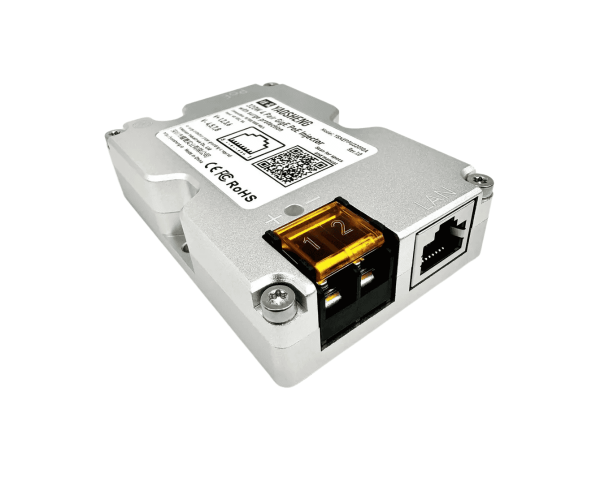
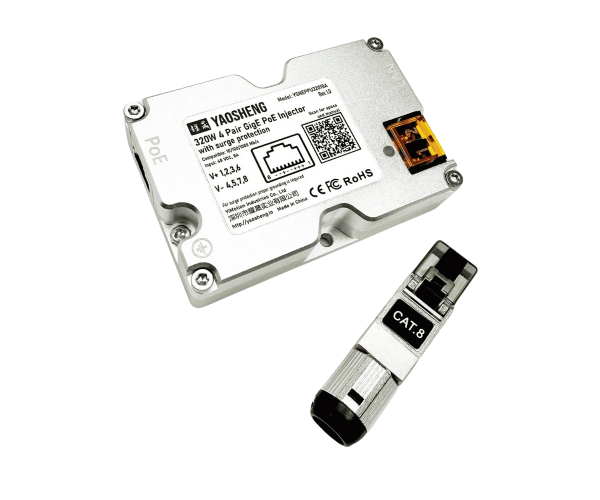
Yaosheng YSNEPPU32010A 320W PoE Injector for Starlink HP delivers steady power and data through a single cable. Designed specifically for Starlink HP devices, it delivers a safe connection and peak performance in many environments, optimizing internet use.
Yaosheng YSNEPPU32010A 320W PoE Injector for Starlink HP in BD
Yaosheng 320W PoE Injector for Starlink HP is a reliable, easy-to-use device that provides power and network data to your Starlink HP device with one cable. With its robust watt capability, it ensures round-the-clock operation for uninterrupted performance, perfect for home or remote internet usage requiring stable power delivery.
User Experience of the Starlink YSNEPPU32010A 320W PoE Injector
Buyers of the Yaosheng YSNEPPU32010A 320W PoE Injector for Starlink HP consider it essential in powering their Starlink HP devices without interruptions. The injector simplifies wiring by combining power and data into a single Ethernet cable, reducing unnecessary wiring and improving installation neatness. Installation is quick, with the injector being quiet and non-overheating. Stable internet connectivity with fewer drops is reported by most buyers through the reliable power supply. The rugged construction can withstand different weather conditions, making it a reliable choice for outdoor and indoor use. It's an ideal choice for anyone who needs a strong, reliable PoE injector for Starlink HP.
Why Choose the YSNEPPU32010A 320W PoE Injector Ideal for Starlink?
Choose the Yaosheng YSNEPPU32010A 320W PoE Injector for Starlink because it's engineered to deliver high power to Starlink HP devices. Differing from regular PoE injectors, this one boasts a higher wattage of 320W that gives reliable power to your device even during heavy loads. With its robust construction and intelligent power management, your device is protected from damage. Simple plug-and-play setup and wide compatibility make it the perfect choice for Starlink HP users who desire smooth internet performance and an elegant setup.
Installation Steps of the Starlink PoE Injector
- Unpack Yaosheng 320W PoE Injector for Starlink HP.
- Insert the power adapter into the injector base.
- Plug the injector data input port into your network router or switch using an Ethernet cable.
- Plug the output PoE port to your Starlink HP device using an Ethernet cable.
- Power the injector with the provided power cable.
- Verify power and data indicators on the injector.
- Verify your Starlink HP device is on and has an internet connection.



-70x60h.png "Starlink SpaceX Gen 3 Mesh Router UTR‑32 Advanced Wi‑Fi 6")