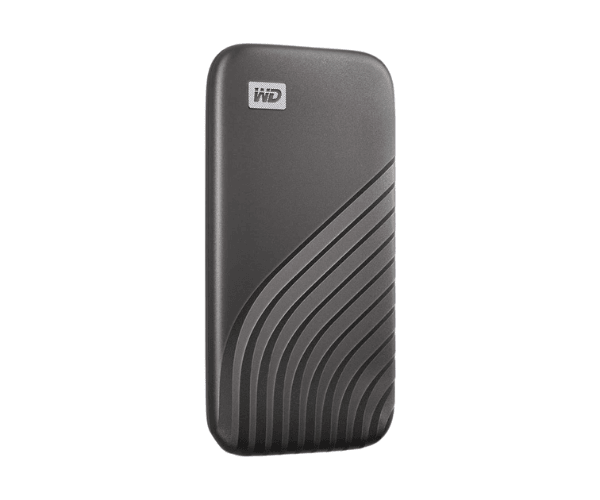
About of Western Digital My Passport 1 TB USB 3.2 Gen 2 Type-C Gray Portable External SSD
The Western Digital My Passport 1TB USB 3.2 Gen 2 Type-C Gray Portable External SSD offers high-speed storage with a sleek design. Ideal for backups, transferring files, and expanding storage, it provides fast performance and durability.
Specification
| Feature |
Description |
| Capacity |
1TB |
| Interface |
USB 3.2 Gen 2 Type-C |
| Color |
Gray |
| Compatibility |
Windows, macOS, and Android |
| Transfer Speed |
Up to 1050 MB/s |
| Dimensions |
4.21 x 2.33 x 0.44 inches |
| Weight |
0.20 lbs (90.7 grams) |
| Operating Temperature |
32°F to 140°F (0°C to 60°C) |
| Storage Type |
Solid State Drive (SSD) |
| Form Factor |
Portable |
| Security |
Password Protection (via WD Software) |
| Data Protection |
Shock-Resistant |
Description
Western Digital My Passport 1TB USB 3.2 Gen 2 Type-C Gray Portable External SSD in BD
The WD My Passport 1TB USB 3.2 Gen 2 Type-C Gray External SSD ensures quicker data storing and transferring modes with convenience in one. Hence, this promises the user extremely great performance together with good compatibility in an elegant 1TB version for everyone needing reliable mobility for their work data. Furthermore.
users Experience
overwhelmingly positive comments on this being speedy and really easy to operate. With a USB 3.2 Gen 2 Type-C interface, it offers up to 1050 MB/s of fast file transfer. Surely, this device will be one of the preferred devices for any user due to its compactness and lightweight, and one can take it anywhere, store data on the go. Gray makes it modern, while durability gives it long life against day-to-day usage. Overall, it's a great product for both work and play, offering reliable performance in a portable form.
Why Choose the Western Digital My Passport 1-TB USB 3.2 Gen 2 Type-C Gray Portable External SSD?
- Provides 1TB of fast, reliable storage.
- USB 3.2 Gen 2 Type-C for faster file transfers.
- Sleek gray design that fits anywhere.
- Compatibility with Windows, macOS, and Android devices.
- Compact, lightweight, and easy to carry.
Installation Steps
- Unboxing the Western Digital My Passport 1TB SSD.
- Connect to the computer using a USB Type-C cable.
- The computer will immediately detect the drive.
- If asked, follow the on-screen instructions to format the SSD.
- You are now ready to use your SSD for storage, transferring, or backing up of files.
What is the Price of the Western Digital My Passport 1TB USB 3.2 Gen 2 Type-C Gray Portable External SSD in Bangladesh?
The latest price of Western
Digital Passport 1TB USB 3.2 Gen 2 Type-C Gray Portable External SSD in Bangladesh depends on quantity.
Crystal Vision Solutions ensure This product has the best market price in Bangladesh. Our product is 100% original and lowest price in Bangladesh. All kinds of services are the best in Bangladesh, and contact us for any information and latest price.