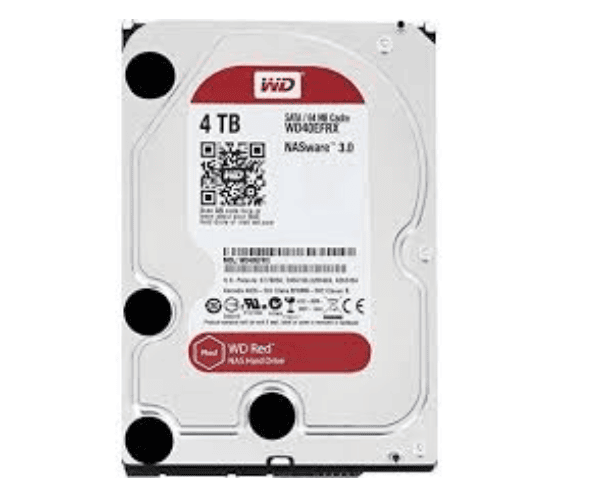
About The WD H3IKNAS400032kh-0S03664 4TB Deskstar NAS HDD
The WD H3IKNAS400032kh-0S03664 4TB Deskstar NAS HDD is a performance hard disk drive designed for NAS (Network-Attached Storage) applications. It comes with 4TB capacity, 7200 RPM, and 64MB cache and is the perfect disk for 24/7 operation. Perfect for home or business use, it offers reliable, fast, and efficient data retrieval and storage.
WD H3IKNAS400032kh-0S03664 4TB Deskstar NAS HDD in BD
The WD H3IKNAS400032kh-0S03664 4TB NAS HDD in Bangladesh's genuine online stores and computer hardware stores because it provides quality performance at a reasonable price, making it a preferred device for both home and office use in need of reliable NAS storage.
User Experience of WD H3IKNAS400032kh-0S03664 4TB Deskstar NAS HDD
Users of the WD H3IKNAS400032kh-0S03664 4TB NAS HDD like that it's very fast, particularly in multi-user environments. The 7200 RPM spindle speed and 64MB cache provide fast reading and writing of files, silky-smooth file access. It is quiet even under heavy use, and it supports demanding applications such as streaming media and backup.
Why Choose The WD H3IKNAS400032kh-0S03664 Deskstar NAS HDD HDD?
WD 4TB Deskstar NAS HDD is designed to meet the demands of users looking for permanent, solid, and high-performance storage. It is ideal for maintaining large data using its 4TB capacity storage and 24/7 use to handle gigantic workloads without a break. As backup devices, home office, or small office, this HDD is ideal.
Key Features
-
4TB Storage Capacity: Can store massive media collections, backups, and important files.
-
7200 RPM Speed: Provides high read/write speed and minimum data transfer time.
-
64MB Cache: Increases system performance by reducing bottleneck and faster access to data.
-
SATA 6.0Gb/s Interface: Provides fast data transfer speed for efficient handling of data.
-
Designed for NAS: Made to operate 24/7 continuously in NAS systems and is appropriate for home and business applications.
-
Energy Efficient: Lower power usage enables a lower operating temperature and energy cost savings.
How to Maintain WD H3IKNAS40003272SJ-0S03664 4TB Deskstar NAS HDD?
To keep your WD 4TB Deskstar NAS HDD running in its optimum operating condition, just follow these simple tips:
-
Ventilation: Install the HDD in a well-ventilated NAS or PC enclosure to prevent overheating.
-
Power Protection: Protect against power surges and power outages through surge protectors and an Uninterruptible Power Supply (UPS).
-
Health Monitoring: Monitor the health of the drive at regular intervals through SMART tools or your NAS control software to identify any potential problem beforehand.
-
Avoid Physical Impact: Under no circumstances move the NAS physically during the operation of the drive.
Installation Steps
-
Power off the NAS or PC system where you will be installing the drive.
-
Find the 3.5-inch drive bay: Remove the device enclosure cover and find an empty 3.5-inch drive bay.
-
Install the drive: Install the WD 4TB Deskstar NAS HDD into the bay.
-
Connect cables: Connect the SATA data and power cables to the drive.
-
Mount the drive: Mount the drive with screws if necessary.
-
Power on the system: Boot your NAS system or PC with the enclosure shut.
-
Format and configure: Initialize, format, and set up the drive as needed via your system's interface.
Where It Can Be Used?
Western Digital H3IKNAS400032kh-0S03664 4TB Deskstar NAS HDD is versatile and can be utilized in a wide range of applications such as:
-
Home NAS Systems: Home file storage, media streaming, and sharing files.
-
Small Business Servers: Share and store business-sensitive documents.
-
Media Servers: Support for large size video, audio, and multi-media files.
-
Backup Solutions: Ideal to store duplicate copies of important files.
-
Surveillance Systems: Storage of security camera system's video content.