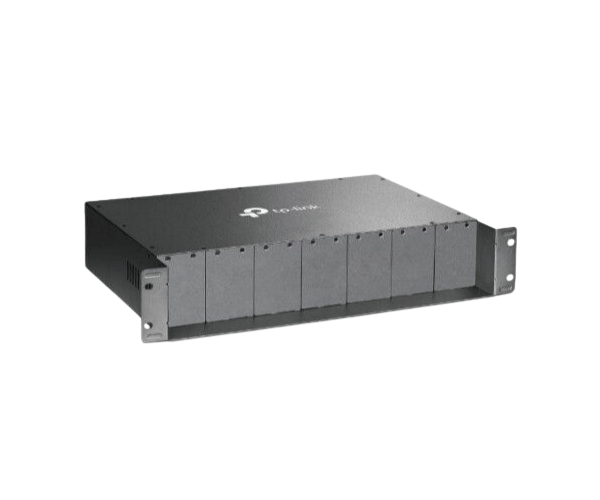
About of TP-Link TL-MC1400 14Slot Chassis Media Conversion
The
TP-Link TL-MC1400 14-Slot Chassis Media Conversion is a professional-grade solution for housing up to 14 media converters. Designed with centralized power and efficient cooling, it ensures seamless management and scalability for large network infrastructures.
Specification
| Feature |
Details |
| Brand |
TP-Link |
| Model |
TL-MC1400 |
| Type |
Rackmount Chassis for Media Conversion |
| Number of Slots |
14 |
| Power Supply |
Dual redundant power modules |
| Compatibility |
TP-Link Media Converters |
| Cooling System |
Integrated cooling fans |
| Mount Type |
19-inch rackmount |
| Material |
Durable metal casing |
| Dimensions |
482 × 245 × 90 mm |
| Weight |
4.5 kg |
Description
TP-Link TL-MC1400 14-Slot Chassis For Media Conversion Network in BD
The
TP-Link TL-MC1400 14Slot Rackmount Chassis for Media Conversion Network provides an organized, scalable, and reliable platform for accommodating multiple media converters. With centralized power and efficient cooling, it simplifies network management and ensures consistent performance in demanding setups.
User Experience
The
TP-Link TL-MC1400 14Slot Chassis for Media Conversion Network enhances network efficiency by consolidating multiple media converters into a single rackmount unit. Its dual redundant power supply ensures continuous operation, while integrated cooling fans prevent overheating. The chassis is designed for easy installation and provides a tidy, centralized solution for large-scale networks. Made of durable metal, it offers long-term reliability and professional-grade performance, making it a trusted choice for business and industrial applications.
Why Choose the TP-Link TL-MC1400 14-Slot Rackmount Chassis for Media Network?
- Houses up to 14 media converters for centralized management.
- Dual redundant power modules ensure uninterrupted operation.
- Integrated cooling fans maintain optimal device performance.
- Compatible with a wide range of TP-Link media converters.
- Durable metal design for long-term reliability.
- 19-inch rackmount compatibility for neat and secure installation.
Installation Step
Setting up the
TP-Link TL-MC1400 14-Slot Rackmount Chassis for Media Network is straightforward:
- Prepare the Rack: Ensure your 19-inch rack is ready for installation.
- Mount the Chassis: Secure the chassis to the rack using the provided hardware.
- Install Media Converters: Slide the compatible media converters into the slots.
- Connect Power Supply: Attach the dual power modules to the chassis and plug them into a power source.
- Check Cooling Fans: Verify that the fans are operational and maintaining proper airflow.
- Power On the System: Test all media converters to confirm smooth operation.
What is the Price of the TP-Link TL-MC1400 14-Slot Rackmount For Media-Chassis Network in Bangladesh?
The latest price of
TP-Link TL-MC1400 14-Slot Rackmount Chassis For Media Conversion Network in Bangladesh depends on quantity.
Crystal Vision Solutions ensure This product has the best market price in Bangladesh. Our product is 100% original and lowest price in Bangladesh. All kinds of services are the best in Bangladesh, and contact us for any information and latest price.