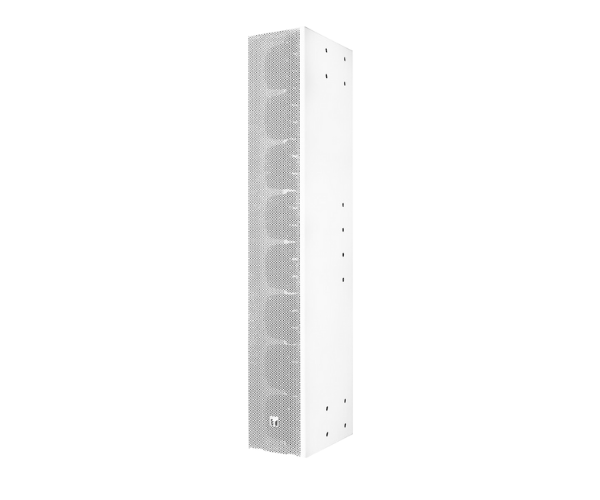
About of Toa TZ-S240W Slim Column Array Speaker
The
Toa TZ-S240W Slim Column Array Speaker offers exceptional audio clarity in a sleek, slim design. With a wide frequency response and powerful output, it ensures clear, high-quality sound for indoor and outdoor installations, making it ideal for any professional setting.
TZ-S240W Slim Column Array Speaker in BD
The Toa TZ-S240W Slim Column Speaker is designed for clear, crisp sound in both indoor and outdoor spaces. Its slim, space-saving design makes it ideal for areas with limited space. With wide frequency coverage and high power handling, it delivers impressive sound quality suitable for various professional environments.
User Experience
Users find the Toa TZ-S240W Slim Column Speaker an excellent choice for commercial and residential audio installations. The speaker provides crystal-clear sound, even in large, acoustically challenging environments. Its slim, aesthetically pleasing design allows it to fit seamlessly into any setting without compromising audio quality. Easy to install with wall and ceiling mounting options, offering flexibility for various setups. The speaker’s low distortion and high power handling ensure consistent performance, making it a reliable choice for sound reinforcement in meetings, presentations, and events.
Why Choose the Toa TZ-S240W Slim Column Speaker?
- High-Quality Sound: The Toa TZ-S240W Slim Column Speaker delivers clear, high-fidelity audio across a wide frequency range.
-
Slim Design: Its compact form saves space while delivering powerful audio.
- Flexible Installation: Mount the speaker easily on the wall or ceiling to suit your needs.
- Durability: Built to last with a sturdy design, ensuring long-term reliability.
- Versatile Usage: Perfect for use in a variety of professional environments, from offices to auditoriums.
Installation Steps
- Choose an appropriate location for installation, ensuring that the speaker is mounted securely on the wall or ceiling.
- Use the provided mounting brackets to attach the speaker to the desired surface.
- Connect the speaker’s wiring to the audio source, ensuring the connections are secure.
- Adjust the speaker's settings for optimal sound quality based on your environment.
- Test the speaker to ensure it functions correctly, with clear audio output.