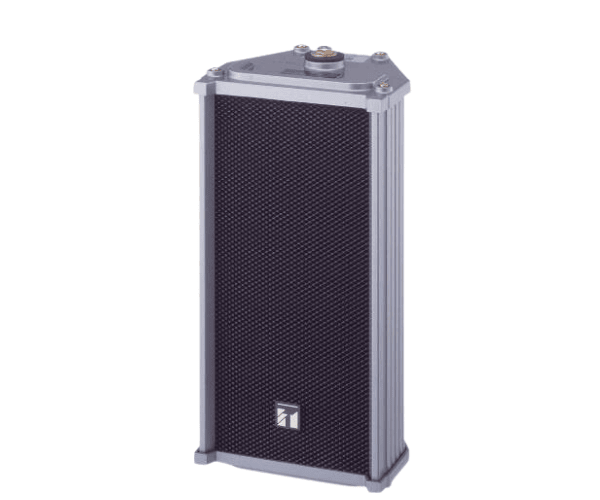
About of Toa TZ-105 Metal Case Column Speaker
The
Toa TZ-105 Metal Case Column Speaker is a high-quality speaker designed for superior sound output and durability. Its sleek metal case provides protection while delivering clear, crisp audio, making it ideal for public address systems and music installations in various environments.
TZ-105 Metal Case Column Speaker in BD
The
Toa TZ-105 Case Column Speaker combines durability and exceptional sound performance in a compact design. This speaker is built to last in tough conditions, making it perfect for indoor and outdoor use. The metal casing ensures durability, while its clear sound enhances any audio system.
User Experience
Users have found the
Toa TZ-105 Metal Case Column Speaker to be an outstanding choice for sound clarity and durability. The speaker’s powerful 50W output provides clear sound, whether in small or large spaces. Its metal casing resists damage, making it great for outdoor use. Customers value its simple setup, with wall or stand mounting options. The wide frequency range delivers clear sound at both low and high tones, enhancing audio quality for public announcements or music.
Why Choose the Toa TZ-105 Column Speaker?
- Exceptional sound clarity and wide frequency response.
- Durable metal case for reliable, long-lasting performance.
- Versatile mounting options for flexible installation (wall or stand mount).
- Compact yet powerful design ideal for various audio systems.
- Designed for both the indoor and outdoor use, ensuring durability in any environment.
Installation Steps
- Choose a suitable location for installation, either wall-mounted or stand-mounted.
- Prepare the mounting hardware by ensuring you have all necessary tools (screws, brackets, etc.).
- Install the wall mount or stand mount according to the user manual's guidelines.
- Connect the speaker wiring to the terminals on the rear panel of the Toa TZ-105.
- Secure the speaker onto the mount and ensure it is firmly fixed in place.
- Test the speaker by turning on the audio system and adjusting the volume to check the sound quality.