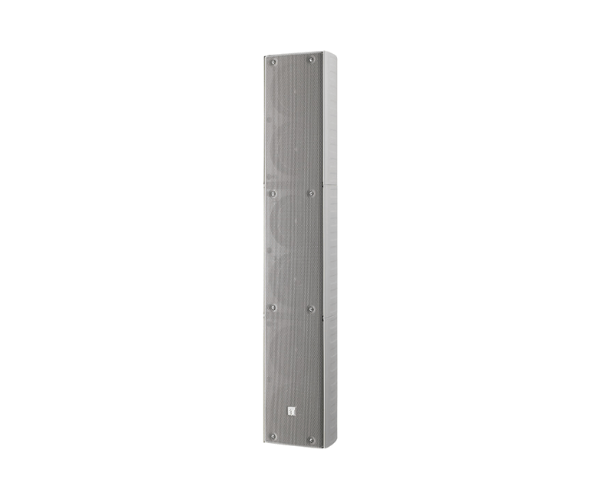
About of Toa TZ-606WWP Column Speaker
The Toa TZ-606WWP Column Speaker was designed with a slim-type, space-saving structure and uses an excellent clear sound. Its best fit for public address applications such as great voice throw announcements, events, and installations, sleek-it will surely blend into modern settings.
TZ-606WWP Column Speaker in BD
The TOA TZ-606WWP Column Speaker unites in itself the compact design and high-performance sound. It possesses high sound output with very low distortion and is hence suitable for different installations like auditoriums, conference halls, and outdoors. The aesthetically pleasing design fits well in modern architecture.
User Experience
Toa TZ-606WWP Speakers work very well for their intended purpose, as declared by their users in various environments, be it spacious or small. The sound is clear, clear, and consistent at volumes as high as desired. With a slim design, this compact model can be fitted even into smaller nooks and corners without losing quality in your sound. Easy to install, the speaker allows several installation methods. It is a reliable, strong sound system used everywhere in corporate and public spaces-a loved piece for professional sound.
Why Choose the Toa TZ606-WWP Column Speaker?
-
High-intelligibility sound with low distortion
-
Compact cabinet design for modern environments
-
Applicable for indoor and outdoor installation
-
Easy installation, flexible mounting options
-
Durable and reliable long-term performance
-
Excellent voice announcement and event performance
Installation Steps
- Determine the installation location for optimal sound coverage.
- Choose a wall or stand for mounting the speaker.
- For wall mount: Use appropriate screws to attach the speaker bracket to the wall.
- Mount the speaker on the bracket securely.
- For stand mount: Attach the speaker to the stand, ensuring stability.
- Connect the speaker to the audio source using compatible cables.
- Power on the system and test sound output. Adjust volume settings as needed.
- Ensure proper cable management to avoid interference.