About of Toa TS-D1100-MU Master Control
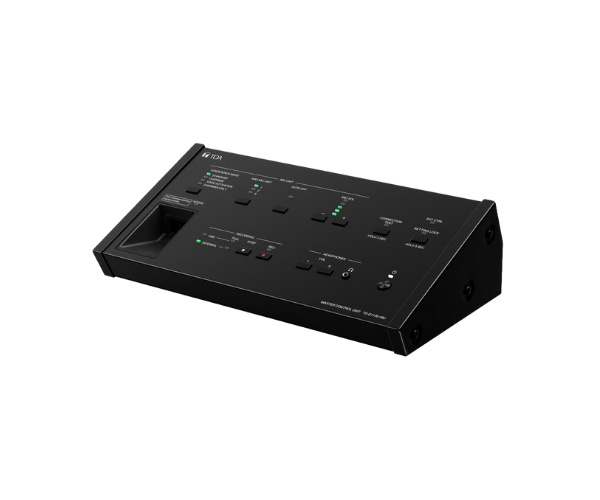
The Toa TS-D1100-MU Master Control Unit provides a professional conference system solution that controls up to 64 delegate units with perfect smoothness, making orderly and time-saving meetings in a boardroom, conference, or seminar environment possible.
Specification
| Feature |
Details |
| Control Capacity |
Up to 64 delegate units |
| Power Supply |
AC 100-240V |
| Audio Output |
Line out (RCA) |
| Frequency Response |
100 Hz – 20 kHz |
| Control Functions |
Delegate mic control, priority settings |
| Interface |
RS-232C for system integration |
| Dimensions |
210 mm x 67 mm x 265 mm |
| Weight |
2.4 kg |
Description
Toa TS-D1100-MU Master Control Unit in BD
The Toa TS-D1100-MU Master Control allows for easier conferences by providing powerful control for the delegate units. In its construction, it is user-friendly, with wide functions that make it indispensable in big meetings for smooth communication and maintaining order. With enhanced features, it's best for modern professional settings.
User Experience
Users like the Toa TS-D1100-MU Master Control because it makes conference management very easy. The intuitive controls on this unit allow for effortless prioritization of microphones and clear audio distribution. Its robust build ensures reliability during prolonged sessions. Compatibility with multiple delegate units makes it suitable for large-scale meetings, providing a seamless experience for participants and administrators alike.
Why Choose the Toa TS-D1100-MU Master Control?
-
Full Control: Controls up to 64 delegate units.
-
Crystal Clear Audio: Provides high sound distribution.
-
Ease of Integration: Can easily integrate into systems that have RS-232C.
-
Sturdy Construction: Continuous operation under severe usage conditions.
-
Trusted Brand: From TOA-with wide experience in audio solutions.
Installation Steps
- Unpack the Toa TS-D1100-MU Control Unit and inspect for damages.
- Connect the unit to a power source using the provided cable.
- Attach delegate units and other peripherals to designated ports.
- Configure audio output and control settings as per your requirements.
- Test the system and ensure all connections are secure.



-70x60h.png "Cisco Catalyst WS-C3560-48PS-S 48-Port PoE Managed Switch")
