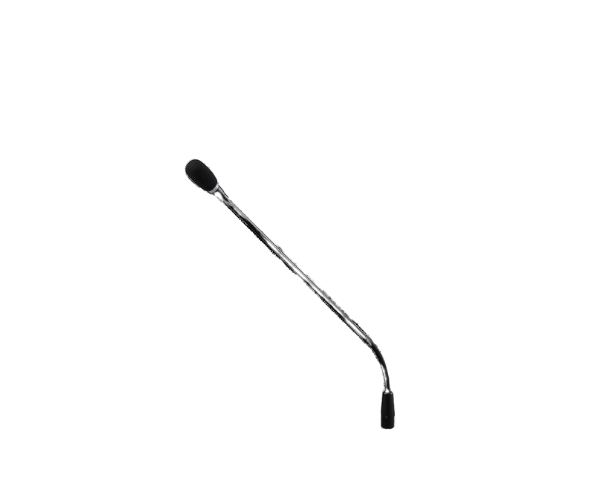
About of Toa TS-D1000M1 Standard Microphone
The Toa TS-D1000-M1 Standard Microphone boasts crystal-clear audio and exceptional performance. It has been designed to work perfectly with conference systems for professional discussions and presentations in corporate educational and public environments.
Specification
| Feature |
Details |
| Microphone Type |
Electret condenser, unidirectional |
| Frequency Response |
20 Hz – 20 kHz |
| Impedance |
2.2 kΩ |
| Sensitivity |
-37 dB ±3 dB |
| Connector Type |
XLR-type |
| Cable Length |
2 meters |
| Build Material |
Durable ABS plastic |
| Applications |
Conference and meeting systems |
Description
Toa TS-D1000-M1 Standard Microphone in BD
TS-D1000-M1 is a standard microphone providing high performance for professional use, and it could bring an accurate clear sound while deleting background noise thanks to its unidirectional design. Perfect for use in conference systems or any sort of meeting to extend one's voice much clearer in such a formal ambiance.
User Experience
Operating owners of the Toa TS-D1000-M1 Standards Microphone boast of its great sensitivity and clear reproduction of sound. A unidirectional electret condenser keeps interference at a minimum to make sure the focus is on the voice of the speaker. Sleek in design and with a robust build, it fits for frequent use. Professionals using TOA systems enjoy compatibility and reliability of this microphone for their needs during meetings, seminars, and corporate events.
Why Choose the Toa TS-D1000M1 Standard Microphone?
- Crystal-clear Audio: Provides clear-cut and articulate sound, perfect for professional settings.
- Durable Design: Constructed with the best materials to ensure a long life.
- Unidirectional Pickup: Eliminates background noise to allow focused communication.
- Seamless Compatibility: Functions perfectly with TOA conference systems.
- Reliable Brand: TOA is trusted reputation in audio solutions.
Installation Steps
- Connect the Toa TS-D1000-M1 Microphone to the conference system's designated port.
- Secure the microphone to its holder or stand.
- Test sound levels and adjust settings as needed.
- Position the microphone optimally for clear audio capture.
- Begin your meeting or presentation with professional-grade audio.