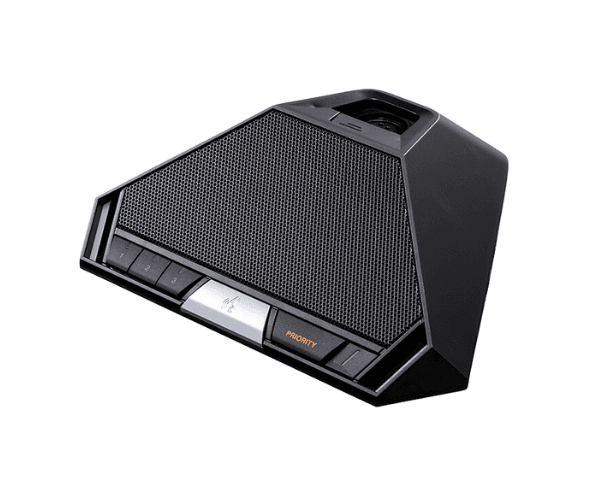
About of Toa TS-921 Chairman Unit
The
Toa TS-921 Chairman Unit is a high-quality, user-friendly microphone unit designed for conferences. It provides clear audio transmission, with easy control options and a sleek, modern design. It’s ideal for chairpersons during meetings and discussions.
Specification
| Feature |
Details |
| Microphone Type |
Electret Condenser Microphone |
| Frequency Response |
50 Hz – 18 kHz |
| Signal-to-Noise Ratio |
60 dB |
| Output Impedance |
600 ohms |
| Power Supply |
DC 24V from central unit |
| Audio Input |
Balanced XLR 3-pin connector |
| Control Functions |
Mute, volume adjustment, power on/off button |
| Dimensions (L x W x H) |
215 mm x 180 mm x 54 mm |
| Weight |
1.2 kg |
| Material |
Metal body with high durability |
Description
Toa TS-921 Chairman Unit in BD
The
Toa TS-921 is a perfect solution for enhancing communication in conference settings. Designed for the chairperson, it allows easy microphone management with intuitive controls. This unit ensures smooth operation during meetings with high audio clarity and reliability.
User Experience
Using the
Toa TS-21 Chairman Unit provides an effortless and efficient conference experience. The microphone delivers clear, distortion-free sound that ensures everyone in the room can hear the chairperson. The unit's controls are simple, with buttons for muting, adjusting volume, and power. Users appreciate its sturdy build and ergonomic design, making it easy to manage during long meetings. With excellent audio quality and reliability, the
Toa TS-921 ensures meetings run smoothly. Overall, it creates a professional atmosphere for conference settings, providing both style and functionality in one compact unit.
Why Choose the Toa TS-921 Chairman?
- High-quality audio for clear communication
- Easy-to-use microphone controls (mute, volume, power)
- Durable metal construction for long-lasting use
- Compact design that fits seamlessly into any conference room
- Reliable performance with low noise and distortion
Installation Steps
- Connect the Toa TS-921 to the central unit using the provided cables.
- Ensure the central unit is powered on to supply DC 24V to the microphone.
- Place the microphone unit on the conference table, adjusting its position for optimal use.
- Adjust the volume level using the control buttons on the microphone unit.
- Press the power button to turn on the microphone and begin using it.
- Use the mute button when you need to turn off the microphone during a meeting.